

Original price was: $31.20.$0.00Current price is: $0.00.
Description
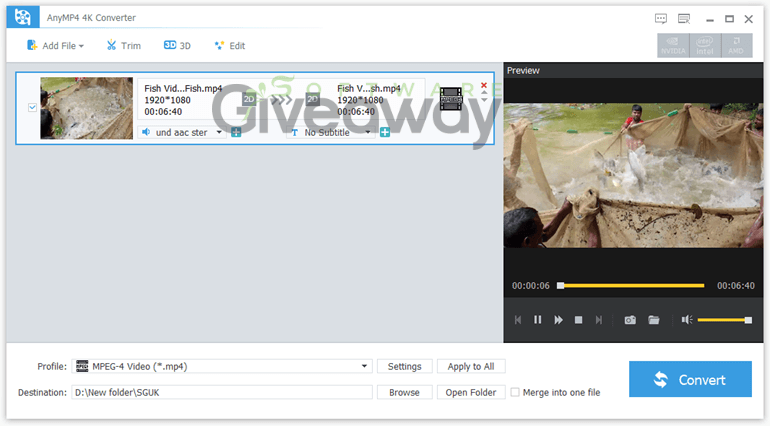
AnyMP4 4K Converter aims to make high-resolution video conversion feel less like a technical hurdle and more like a quick desktop task. It converts 4K footage to 1080p, 720p, and standard-definition formats for broader playback compatibility, while also supporting upscaling from SD to 4K. The software handles formats such as MP4, MOV, AVI, MKV, WMV, H.264, H.265/HEVC, TS, and several audio outputs, plus presets for mobile devices, consoles, and editing software. Its built-in editor includes trimming, merging, cropping, rotating, flipping, basic color and volume adjustments, subtitles, audio tracks, watermarks, and 2D-to-3D options. Hardware acceleration and batch conversion may help speed up larger jobs, though output quality and conversion speed can still depend on the source file and computer hardware.
Features
- 4K-to-HD conversion: Converts 4K videos to 1080p, 720p, and standard-definition formats for playback on non-4K devices.
- SD-to-4K conversion: Supports converting lower-resolution videos to 4K output.
- Broad format support: Converts to formats including MP4, AVI, MOV, WMV, MKV, TS, H.264/AVC, and H.265/HEVC.
- Audio extraction: Extracts audio into MP3, AAC, AC3, FLAC, WAV, WMA, OGG, AMR, and other formats.
- Device presets: Provides compatible output profiles for iPhone, iPad, Apple TV, Samsung devices, Sony Xperia phones, Android devices, PS3, PS4, Xbox, and more.
- Editing-software compatibility: Converts video for use in tools such as Adobe Premiere Pro, Sony Vegas, and Windows Movie Maker.
- Audio and subtitle controls: Lets users select, replace, or add audio tracks and subtitle files.
- Video adjustments: Adjusts brightness, contrast, saturation, hue, volume, and other basic effects.
- Rotation and flipping: Rotates video 90 degrees clockwise or counterclockwise and flips footage horizontally or vertically.
- Cropping: Removes unwanted edges or areas while preserving the original aspect ratio when needed.
- Trimming and splitting: Cuts unwanted sections and splits long videos into separate clips.
- Merging: Combines multiple video clips into one output file.
- Watermarks: Adds text or image watermarks to help identify or protect video content.
- 2D-to-3D conversion: Creates 3D-style video using anaglyph or split-screen effects.
- Batch conversion: Processes multiple video files in one conversion session.
- Hardware acceleration: Uses supported ATI and CUDA GPU acceleration to improve conversion performance.
- Preview and simple interface: Offers a user-friendly workflow and preview options for checking edits before export.
Special Offer
Giveaway Instructions
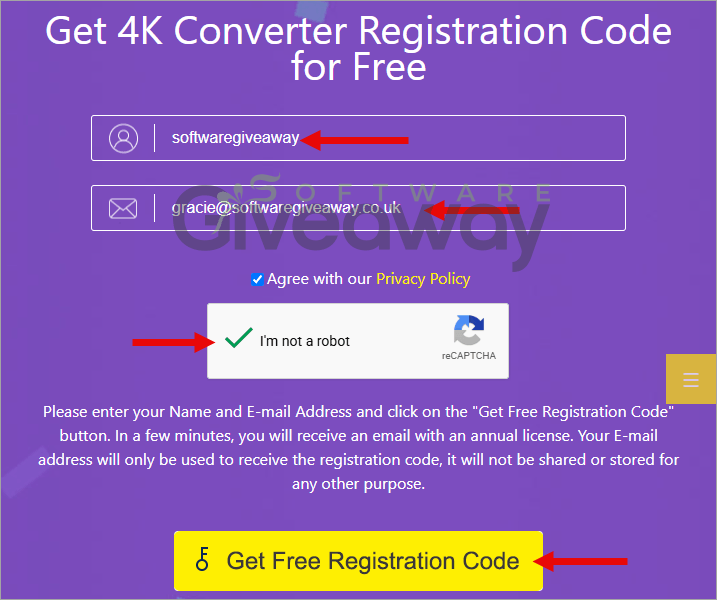
1. Submit your name and email here to receive a free license: Giveaway link
2. Download and install the software: 4k-converter.exe
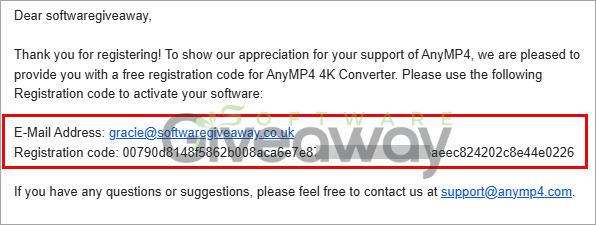
3. Launch the program, click on the key icon, and activate it using your email and the license key you received.
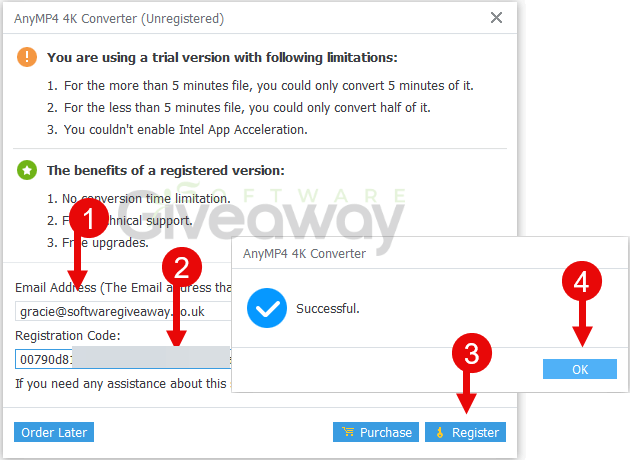
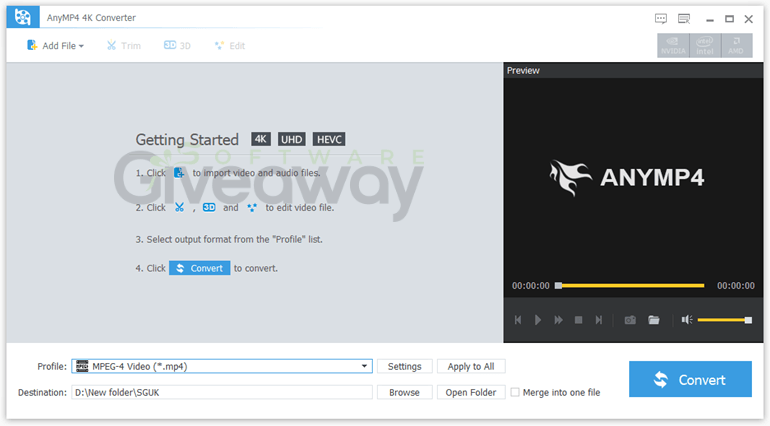
4. Enjoy the full version!
Terms and conditions
- This is a lifetime license for version 7.2.50
- You can’t upgrade the software for free.
- There’s no free tech support.
- End of giveaway promotion: Ending soon.
Additional information
Specification: AnyMP4 4K Converter (100% Discount)
|
Reviews (0)
User Reviews
Be the first to review “AnyMP4 4K Converter (100% Discount)”
You must be logged in to post a review.




There are no reviews yet.