
Ashampoo Photo Converter (100% Discount)


Original price was: $15.00.$0.00Current price is: $0.00.
Description
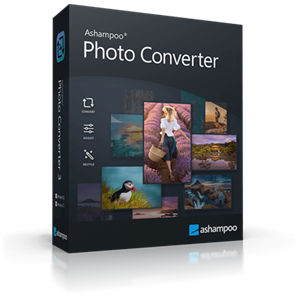
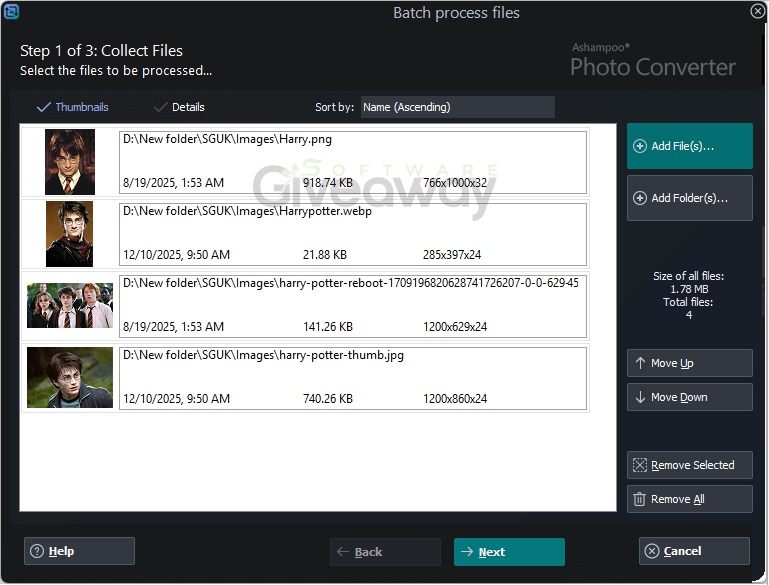
Ashampoo Photo Converter 3 turns tedious image conversions into a quick, streamlined experience. Designed for both beginners and professionals, it offers powerful batch processing that lets users convert entire folders of photos in just a few clicks. The modernized interface is clean, intuitive, and includes live previews to simplify workflows even for those with minimal technical background. Users can easily resize, reformat, and enhance hundreds of images at once, with improved speed and support for newer formats like HEIF, RAW, and SVG. It’s a versatile choice for hobby photographers, content creators, or professionals who need to manage large collections efficiently while keeping their images crisp and properly optimized.
For power users, Ashampoo Photo Converter 3 goes beyond the basics with its command-line interface (CLI) version, offering automation and granular control over every conversion parameter. This mode supports advanced features like logging, DPI-based resizing, reusable batch command sets, and server-level processing, ideal for large-scale or repetitive workflows. The native 64-bit support ensures optimal performance on modern Windows systems, while the expanded effects suite lets users fine-tune contrast, color intensity, or add creative filters and watermarks. While it’s not a full-fledged photo editor, its speed and flexibility make it a reliable bridge between casual editing and professional-level image management.
Features
- Batch processing: Convert entire folders of images quickly and efficiently.
- Format support: Works with JPG, PNG, HEIF, RAW (Canon, Nikon, DNG), and SVG.
- Speed optimization: Up to 50% faster processing for JPG and PNG files.
- GUI mode: Simple and intuitive interface for beginners.
- CLI mode: Powerful command-line control with extensive parameters.
- 64-bit performance: Native 64-bit support for better memory usage and speed.
- Batch wizard: Drag & drop support with a sortable command list.
- Command sets: Exportable and reusable batch profiles (*.apcbatch files).
- DPI control: Resize images based on precise inch or DPI specifications.
- Automation: Command-line logging, automated workflows, and output format selection.
- Editing tools: Rotate, flip, tilt, resize, and crop photos easily.
- Optimization: Adjust brightness, contrast, color depth, and saturation.
- Effects: Apply sepia, black & white, oil painting, sketch, relief, or sharpening filters.
- Metadata preservation: Keeps EXIF and XMP information intact.
- Watermarking: Add freely positionable watermarks to protect images.
- Aspect ratio: Modify ratio and apply frames during batch conversions.
- File management: Option to preserve or delete originals after conversion.
- Interface design: Modern look with animated progress indicators.
- High-DPI support: Optimized for large and high-resolution monitors.
- Workflow flexibility: Suitable for hobbyists, content creators, and professionals.
Special Offer
Special offer that you can't miss!



Giveaway Instructions
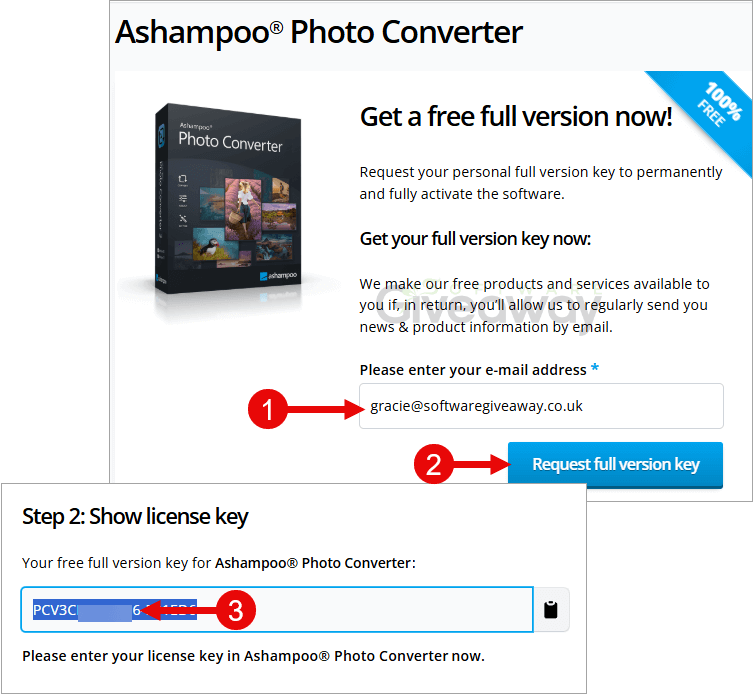
1. Submit your email here: Giveaway link-1, Giveaway link-2, Giveaway link-3, Giveaway link-4, confirm the link in your inbox, and input your name and country to finally receive a free license.
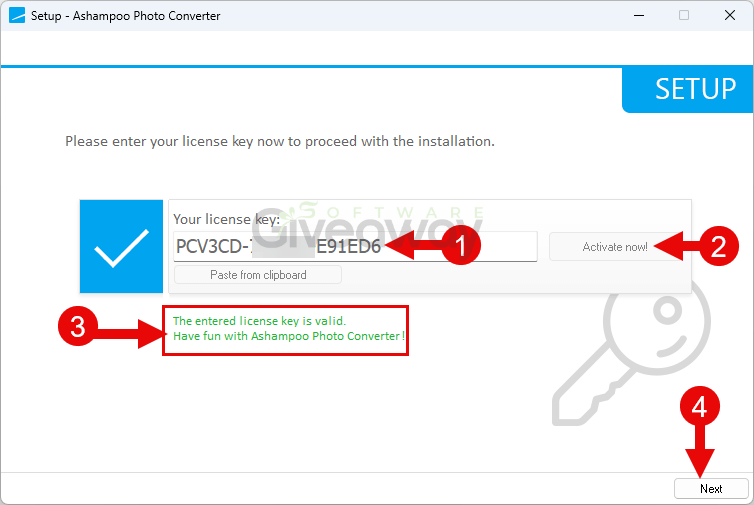
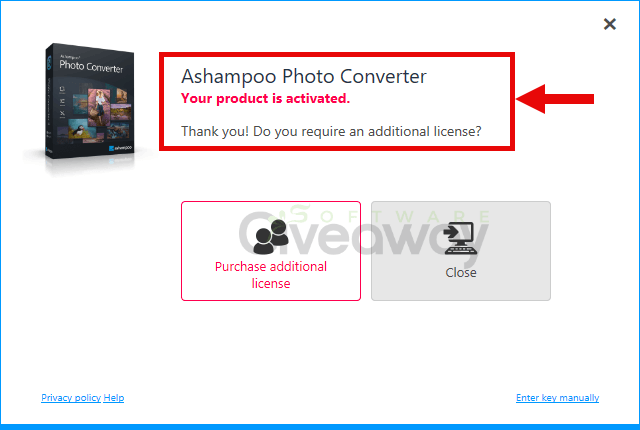
2. Download and install the software: ashampoo_photo_converter_3_3.0.1.exe. During the installation, activate it with the license key you received earlier.
3. Enjoy the full version!
Terms and conditions
- This is a lifetime license
- You can’t upgrade the software for free.
- There’s no free tech support.
- End of giveaway promotion: End soon!
Additional information
Specification: Ashampoo Photo Converter (100% Discount)
|
Reviews (0)
User Reviews
Be the first to review “Ashampoo Photo Converter (100% Discount)”
You must be logged in to post a review.



There are no reviews yet.