



Original price was: $47.88.$0.00Current price is: $0.00.
Description
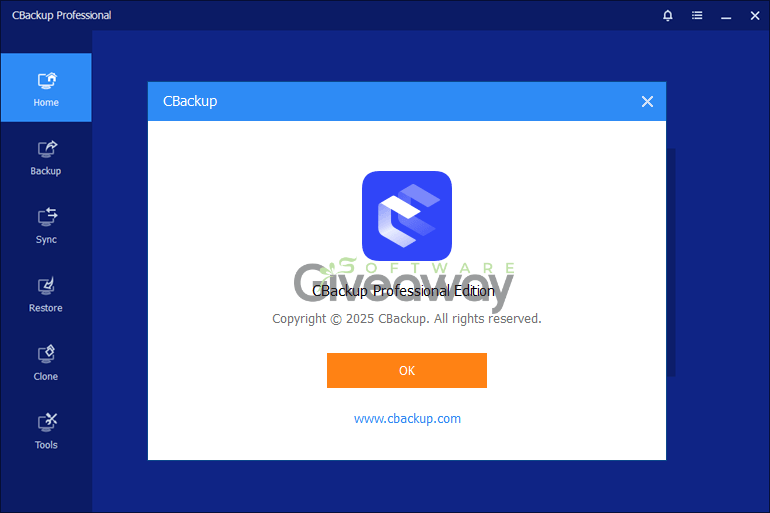
CBackup Professional starts strong as a versatile backup and synchronization tool, ideal for anyone looking to secure data across systems, disks, and clouds. It allows users to automatically back up files to local storage, external drives, or NAS devices, ensuring data continuity in the event of unexpected crashes or hardware failures. The software’s advanced features, like real-time and two-way sync modes, help maintain consistency across folders and devices. Users can clone disks or migrate an operating system from HDD to SSD with ease, preserving a fully bootable setup without reinstalling Windows. For convenience, its scheduled and event-based backup options ensure that backups happen automatically and regularly, reducing risk and manual effort in data management.
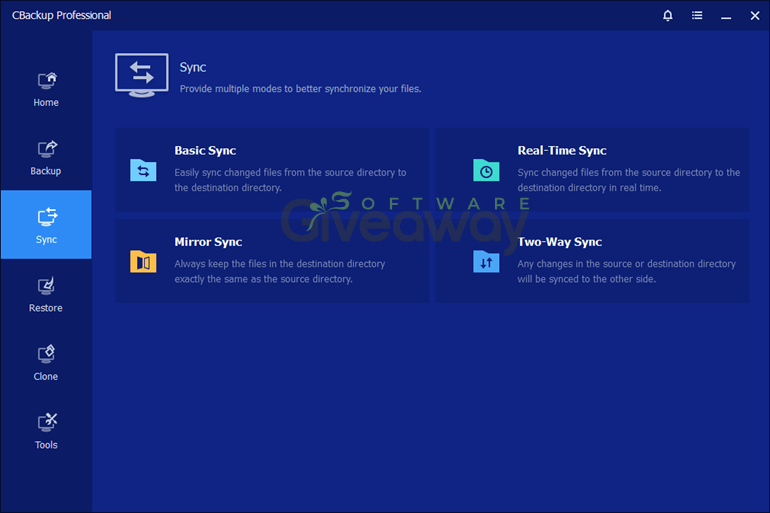
Beyond local protection, CBackup Professional’s cloud capabilities make it a standout for users managing files across multiple platforms. The software supports cloud-to-cloud backup and sync, allowing seamless data transfer between Google Drive, Dropbox, OneDrive, and other services. Its ability to combine free and paid cloud storage into a unified, scalable backup space is particularly valuable for maximizing storage flexibility. Security is prioritized with AES-256 encryption, GDPR compliance, and OAuth authorization, ensuring CBackup never stores your login credentials. While the interface may take newcomers some time to master, the overall experience delivers a powerful and secure backup solution for both personal and business users alike.
Image here
Features
- Automatic backup: Schedule system, disk, or file backups to local storage for continuous data protection.
- File restore: Recover systems, disks, partitions, or files from image backups after data loss or crashes.
- Real-time sync: Instantly synchronize data changes across folders, drives, or NAS devices.
- Two-way sync: Keep files consistent in multiple locations for collaboration.
- Disk cloning: Copy entire disks or partitions to new drives without reinstalling Windows.
- OS migration: Move the operating system from HDD to SSD while keeping it bootable.
- Cloud-to-cloud backup: Back up files directly between cloud services.
- Cloud-to-cloud sync: Transfer data between clouds automatically without manual downloads.
- Combined cloud storage: Merge multiple free or paid cloud accounts into one large backup space.
- Scheduled operations: Automate backups and syncs daily, weekly, or based on events.
- Data encryption: Use 256-bit AES encryption to secure data during transfer.
- OAuth authentication: Add cloud drives securely without saving login credentials.
- GDPR compliance: Protect user privacy with industry-standard regulations.
- Multi-destination backup: Save backups to local drives, USB devices, external hard drives, or NAS.
- Image backup: Create a complete image of the Windows system for quick restoration.
- Scalable storage: Expand backup capacity through flexible cloud storage combinations.
- Encrypted cloud storage: Secure cloud backups with password protection and restricted access.
- Hands-free protection: Automate regular data backups without manual input.
- Quick recovery: Restore data efficiently to minimize downtime after failures.
- Comprehensive compatibility: Support for Windows PCs, servers, and cloud accounts.
Special Offer
Giveaway Instructions
1. Submit your email here to receive a free license: Giveaway link-1 Giveaway link-2
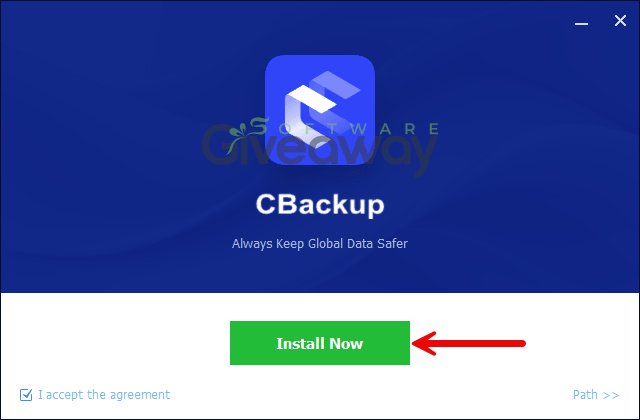
2. Download and install the software: CBackup_Free.exe
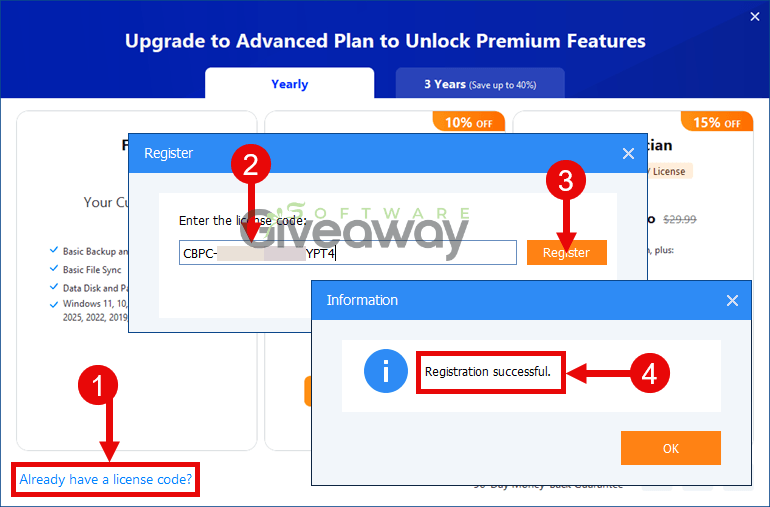
3. Launch the program, and activate it using the license key you received or use this license code: CBPC-DR2V9-TTRYB-Z4FRC (register before Oct 31, 2026), CBPC-TUNMQ-TNN16-DOPYP (register by Sep 30, 2026)
4. Enjoy the full version!
Terms and conditions
- This is a 6-month license
- The code is for personal use only
- Please activate before Oct 31, 2026; after that, the code will no longer be valid.
Additional information
Specification: CBackup Professional (100% Discount)
|
Reviews (0)
User Reviews
Be the first to review “CBackup Professional (100% Discount)”
You must be logged in to post a review.
Related Products


There are no reviews yet.