
Coolmuster Screen Recorder (100% Discount)

Original price was: $25.95.$0.00Current price is: $0.00.
Description
Coolmuster Screen Recorder aims to simplify screen capture with a clean, no-frills approach that gets straight to the point. Designed for Windows users, it combines screen recording and screenshot tools into one lightweight package. Users can record full screens or custom regions in HD and save output as MP4 without time limits or watermarks after registration. The software supports flexible audio choices, allowing either system sound or microphone input, which helps maintain clarity in recordings. Its smart area selector and smooth performance make it practical even on lower-end devices. While it avoids advanced editing features, its straightforward functionality makes it accessible for beginners and efficient for quick tasks.
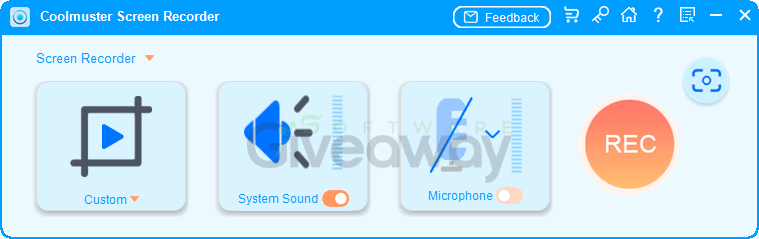
Beyond recording, Coolmuster Screen Recorder includes a capable screenshot tool with basic annotation options like shapes, arrows, and text. Images can be saved in PNG, JPEG, or BMP formats with lossless quality, making them suitable for tutorials or documentation. One notable strength is its emphasis on privacy, as all processing occurs locally without relying on cloud services or external servers. This ensures full control over files, which may appeal to privacy-conscious users. However, the lack of multi-audio recording and advanced editing tools could limit the use of more demanding workflows. Overall, it strikes a balance among simplicity, performance, and privacy for everyday screen-capture needs.
Features
- 2-in-1 functionality: Combines screen recording and screenshot capture in one tool.
- Recording modes: Capture full screen, a specific window, or a custom-selected region.
- HD video output: Saves recordings in MP4 format with high-definition quality.
- Smart area selection: Drag to select regions with real-time pixel dimensions.
- No time limits: Supports unlimited recording duration.
- No watermark after registration: Clean video output without branding.
- Lightweight performance: Runs smoothly with minimal system impact.
- Audio options: Record system sound only, microphone only, or no audio.
- Single-source audio recording: Prevents overlap by allowing only one audio source at a time.
- Screenshot capture: Take full-screen or custom-region screenshots.
- Built-in editing tools: Add shapes, arrows, lines, and text to screenshots.
- Multiple image formats: Save screenshots as PNG, JPEG, or BMP.
- Lossless image quality: Maintains high clarity in saved images.
- Local processing: All recordings and edits stay on the device.
- Privacy protection: No uploads, cloud storage, or external servers involved.
- File ownership: Full control over saved recordings and screenshots.
- One-click operation: Start or stop recording quickly with simple controls.
- On-screen toolbar: Access controls without interrupting workflow.
Special Offer




Giveaway Instructions
1. Submit your name and email here to receive a free license: Giveaway link
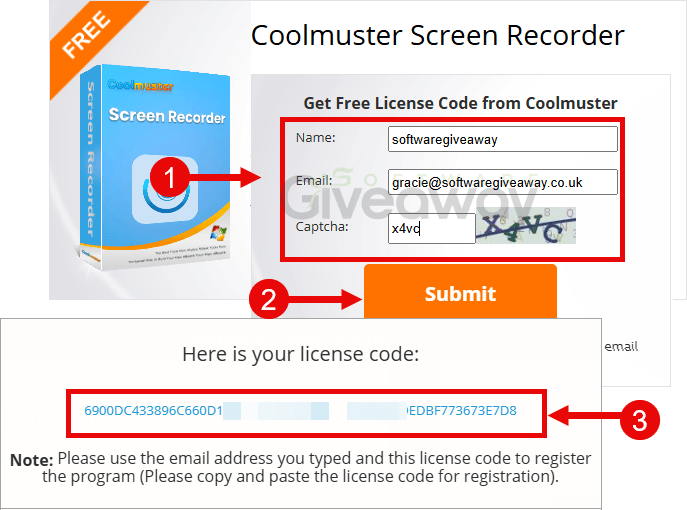
2. Download and install the software: cool-screen-recorder.exe
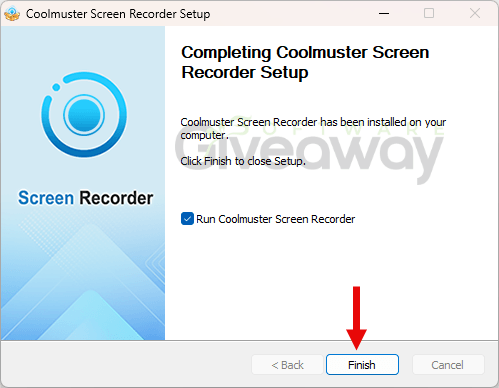
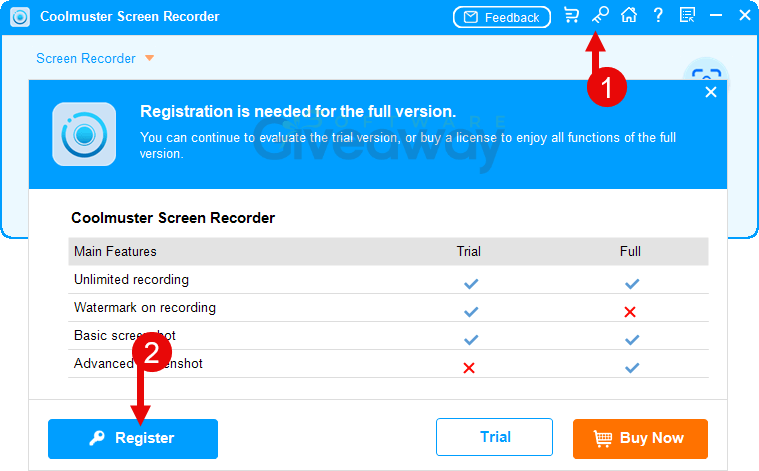
3. Launch the program, click on the key icon, and click Register.
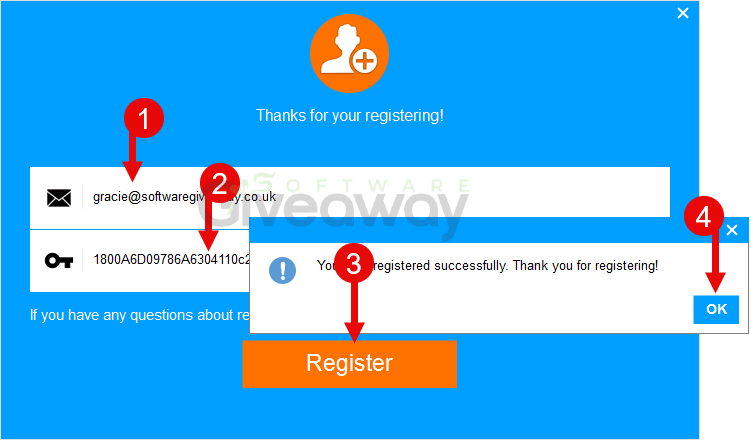
4. Use your email and the license key you received to activate the program.
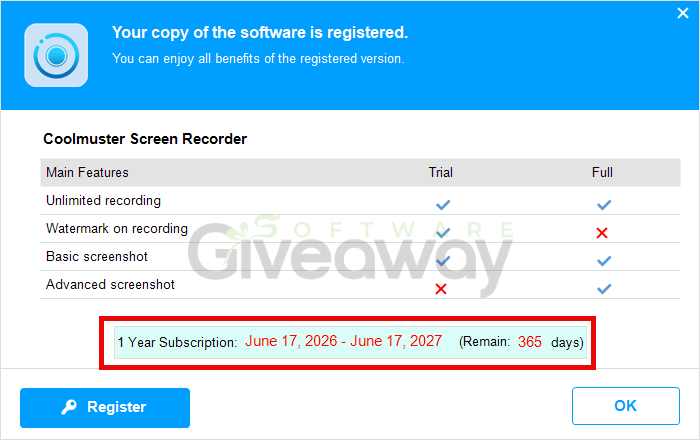
5. Enjoy the full version!
Terms and conditions
- This is a lifetime license for version
- You can’t upgrade the software for free.
- There’s no free tech support.
- End of giveaway promotion: Ending soon.
Additional information
Specification: Coolmuster Screen Recorder (100% Discount)
|
Reviews (0)
User Reviews
Be the first to review “Coolmuster Screen Recorder (100% Discount)”
You must be logged in to post a review.


There are no reviews yet.