
iReaShare Screen Recorder (100% Discount)

Original price was: $24.95.$0.00Current price is: $0.00.
Description
iReaShare Screen Recorder aims to prove that simple tools can still deliver serious performance. This lightweight Windows application focuses on core screen recording needs without overcomplicating the experience. Users can capture full screens or custom-selected areas with precise drag controls, making it suitable for tutorials, presentations, or casual recording. It supports high-quality MP4 output and allows flexible audio capture, including system sound, microphone input, or silent recording. Notably, recordings come without time limits, and the watermark is removed after registration. The software runs smoothly even during longer sessions, which is a practical advantage. Overall, it positions itself as a straightforward option for users who prioritize efficiency over advanced editing suites or cloud-based workflows.
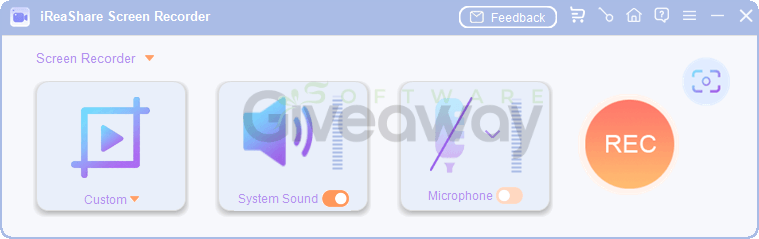
What sets iReaShare apart is its emphasis on privacy and ease of use. All processing happens locally, meaning recordings and screenshots never leave your device, which may appeal to privacy-conscious users. Screenshot functionality is equally capable, offering multiple export formats like PNG, JPG, JPEG, and BMP, along with built-in editing tools for annotations such as text, arrows, and shapes. Instant saving and easy sharing streamline the workflow further. However, the feature set remains relatively basic compared to more advanced screen recording platforms, lacking deeper editing or integration options. Still, for users seeking a reliable, no-frills recorder with strong privacy assurances and solid performance, iReaShare Screen Recorder delivers a balanced and dependable experience.
Features
- High-quality screen recording: Capture full screen or selected areas in high quality with smooth, lag-free performance and no watermark after registration.
- Custom area selection: Drag to select precise regions of your screen for flexible recording or screenshots.
- No time limits: Record continuously without restrictions on duration.
- Audio recording options: Capture system audio, microphone input, or record without sound.
- MP4 video export: Save recordings in MP4 format for easy playback and sharing.
- Multiple image formats: Save screenshots as PNG, JPG, JPEG, or BMP files.
- Instant screenshot editing: Add text, arrows, and shapes directly after capturing images.
- Full-screen and region capture: Choose between recording the entire display or a specific portion.
- Instant saving and sharing: Quickly save files and copy them into folders, chats, or documents.
- Lightweight performance: Run efficiently without slowing down your system during long sessions.
- Local processing: All recordings and screenshots are handled on-device with no cloud uploads.
- Privacy protection: Ensure 100% data security since no content is transferred externally.
- Windows compatibility: Supported on Windows 11, 10, 8, and 7.
Special Offer




Giveaway Instructions
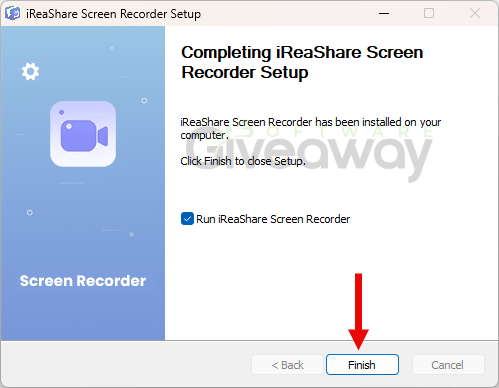
1. Download and install the software: ireashare-screen-recorder.exe
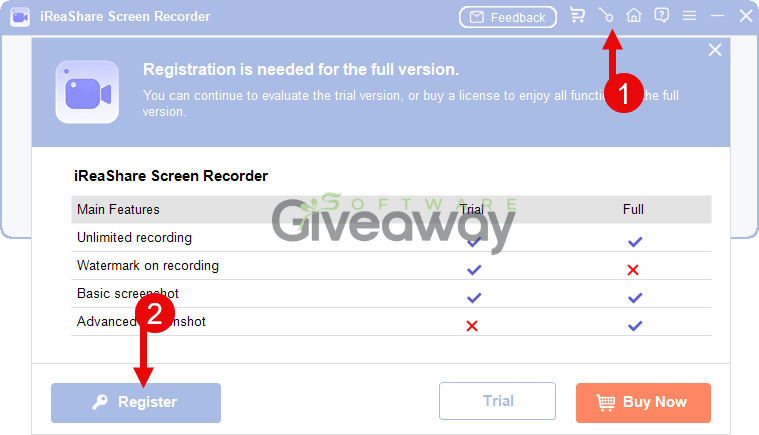
2. Launch the program, click on the key icon, and click Register.
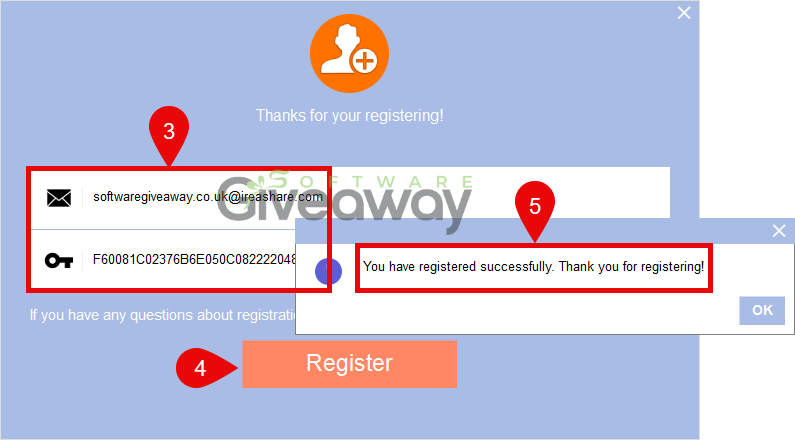
3. Activate it using this email and license code:
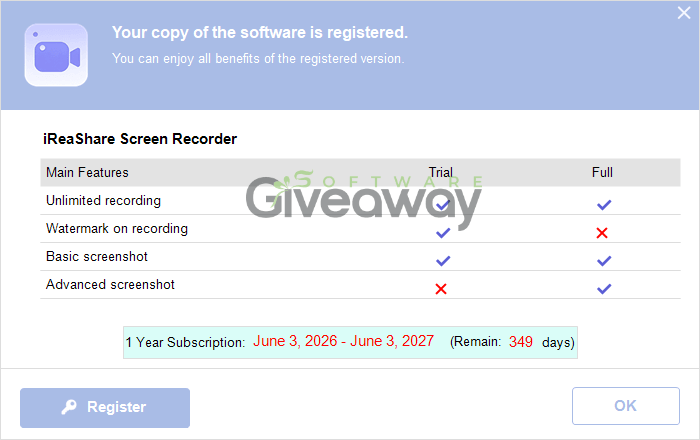
4. Enjoy the full version!
Terms and conditions
- This is a lifetime license for version 2.0.30
- You can’t upgrade the software for free.
- There’s no free tech support.
- End of giveaway promotion: Ending soon.
Additional information
Specification: iReaShare Screen Recorder (100% Discount)
|
Reviews (0)
User Reviews
Be the first to review “iReaShare Screen Recorder (100% Discount)”
You must be logged in to post a review.
Related Products


There are no reviews yet.