


Original price was: $24.50.$0.00Current price is: $0.00.
Description
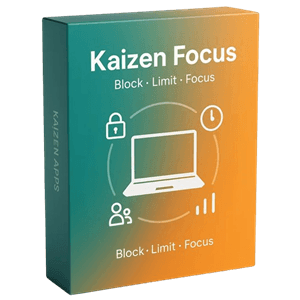
Kaizen Focus Pro promises to take back your screen—and it comes surprisingly close to delivering on that bold claim. At its core, the software combines website blocking, app restriction, and time tracking into a single Windows-based tool designed for individuals, families, and small teams. It stands out by enforcing rules at both browser and system levels, meaning distractions like social media, YouTube channels, or apps such as Discord can be tightly controlled without relying on extensions. The ability to set daily limits, schedule downtime, and categorize activity into productive or unproductive adds structure to digital habits. With real-time dashboards and detailed reports, users can clearly see how their time is spent across devices.
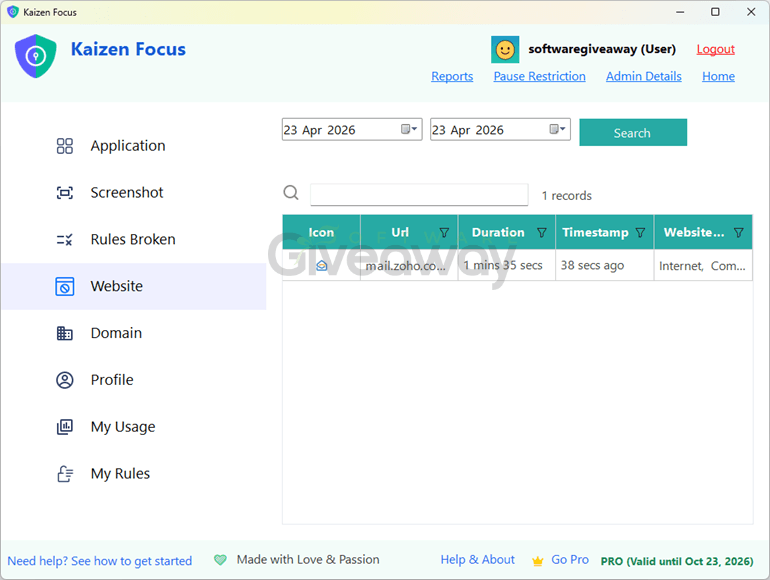
What makes Kaizen Focus Pro more robust than typical blockers is its emphasis on enforcement and flexibility, though that may not suit everyone. Features like PIN-locked settings, full-screen lock overlays, and a watchdog service ensure rules can’t be easily bypassed, which is ideal for parental control or workplace accountability. At the same time, customization is strong: users can assign time budgets, group apps, whitelist exceptions during downtime, and configure different rules for each day. Optional screenshots and email reports provide added oversight, but may raise privacy considerations. While the free version covers core features, Pro expands scheduling and reporting. Overall, it’s a powerful but strict tool best suited for users who want serious control rather than casual nudges.
Features
- Website and app blocking: Block specific URLs, domains, YouTube channels, or desktop apps like Steam and Discord across all supported browsers.
- Cross-browser enforcement: Works on Chrome, Firefox, Edge, IE, Opera, Brave, and Maxthon without extensions.
- App-level control: Uses process-level enforcement to close restricted applications during blocked periods.
- Daily time limits: Assign usage budgets to apps or websites, with automatic blocking once limits are reached.
- Custom schedules: Set different usage rules and limits for weekdays and weekends.
- Downtime mode: Enforce full restrictions during set hours, such as overnight lock periods.
- Free Time exceptions: Whitelist selected apps or sites during downtime windows.
- Activity tracking: Logs all app and website usage with a detailed timeline and summaries.
- Productivity classification: Categorize apps and sites as productive, neutral, or unproductive.
- Real-time dashboard: View remaining time and usage stats as you use your device.
- Reports and analytics: Receive daily, weekly, or monthly reports with charts and breakdowns.
- Screenshot monitoring: Capture periodic screenshots with optional inclusion in reports.
- Multi-user modes: Supports self, parent-child, and employee management setups.
- Admin controls: Lock settings behind a 4-digit PIN to prevent unauthorized changes.
- Lock screen enforcement: Displays unskippable full-screen overlays during violations.
- Watchdog protection: Automatically restarts the app if it is force-closed.
- Pause requests: Require PIN or email approval to temporarily disable restrictions.
- Offline functionality: Core blocking, limits, and tracking work without internet access.
- Grouped limits: Combine multiple apps into a shared time budget (e.g., social media).
- Email alerts: Notify admins if rules are broken or the app is tampered with.
Special Offer

Giveaway Instructions
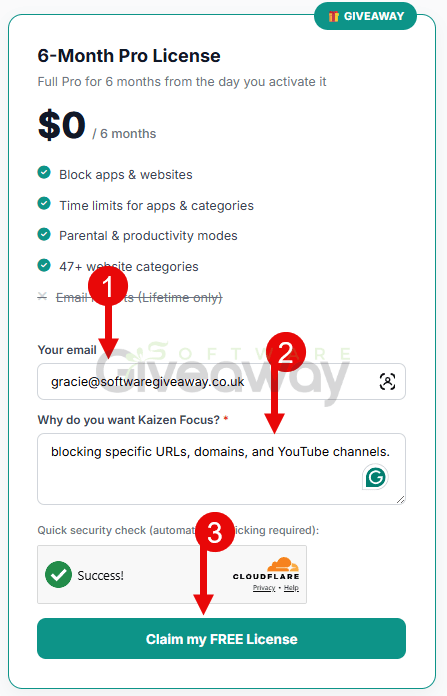
1. Submit your email and "Why do you want Kaizen Focus?" here to receive a free license: Giveaway link
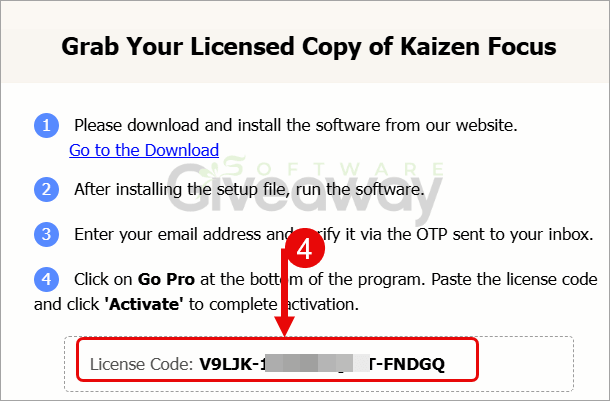
2. Download and install the software: KaizenProtectInstaller.exe
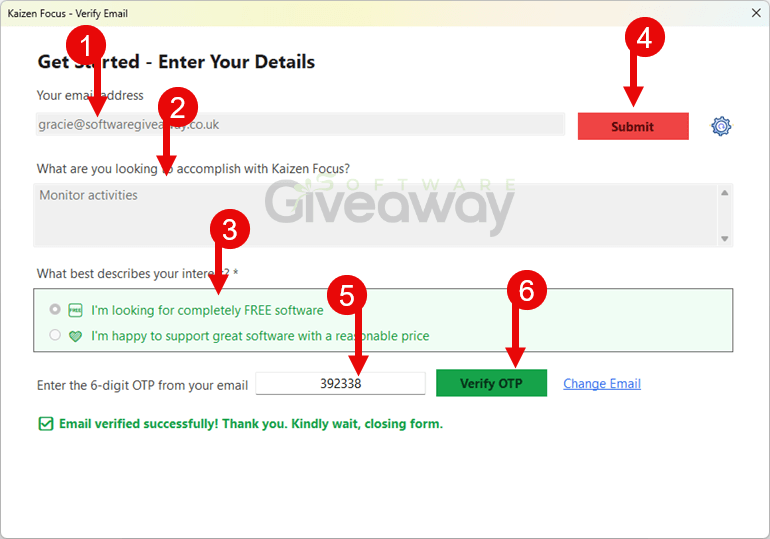
Submit your email address and verify it with the OTP code received in your mail.
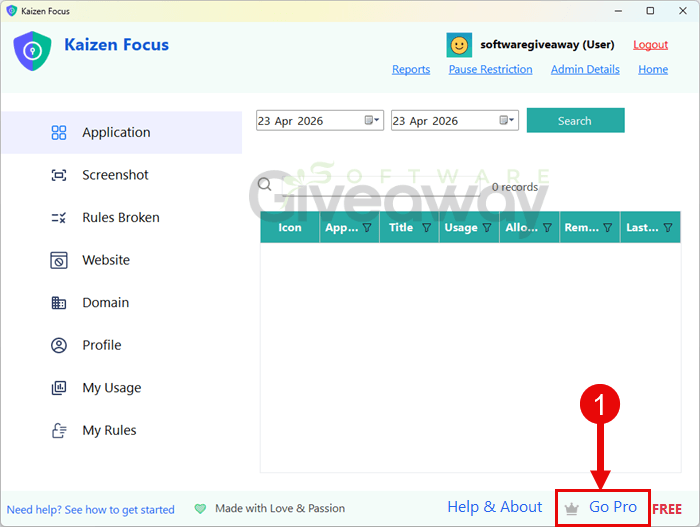
3. Click on the "Go Pro" button and enter your license code
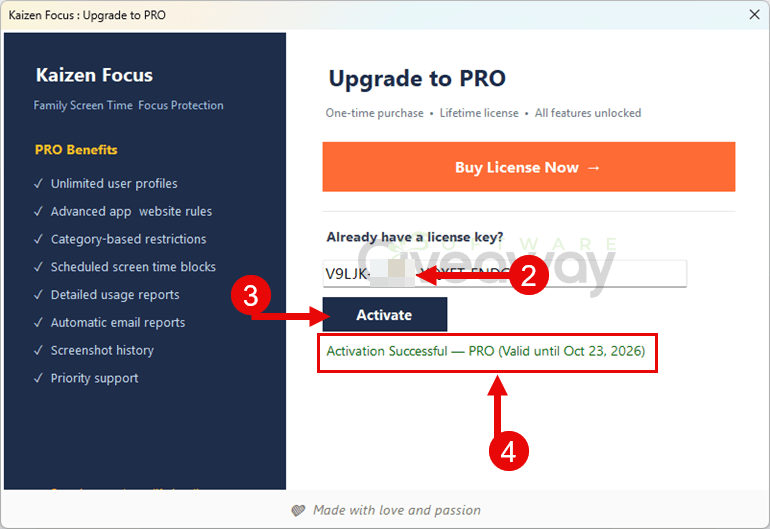
4. Complete the process by clicking Activate and enjoy the full version!
Terms and conditions
- This is a 6-month license for version 1.0
- No free upgrades are included.
- The license should be activated before June 30th, 2026.
- End of giveaway promotion: Apr 24, 2026 GMT+0 08:00.
Additional information
Specification: Kaizen Focus Pro (100% Discount)
|
Reviews (0)
User Reviews
Be the first to review “Kaizen Focus Pro (100% Discount)”
You must be logged in to post a review.
Related Products


There are no reviews yet.