

Original price was: $35.94.$0.00Current price is: $0.00.
Description
Looking for a swift way to boost your computer’s performance? Kingshiper PC Cleaner offers Windows users a convenient solution with deep cleanup features and one-click optimization. With over 8.5 million downloads, this genuine and safe utility is compatible with Windows 11, 10, 8, and 7 and focuses on freeing up valuable disk space by removing junk files, clearing cache, and managing system resources. Functions like the App Manager and Large Files Mover let you organize applications and safely relocate big files from your C drive. Kingshiper PC Cleaner helps resolve common issues like a full C drive, sluggish system performance, or software leftovers that slow down your machine.
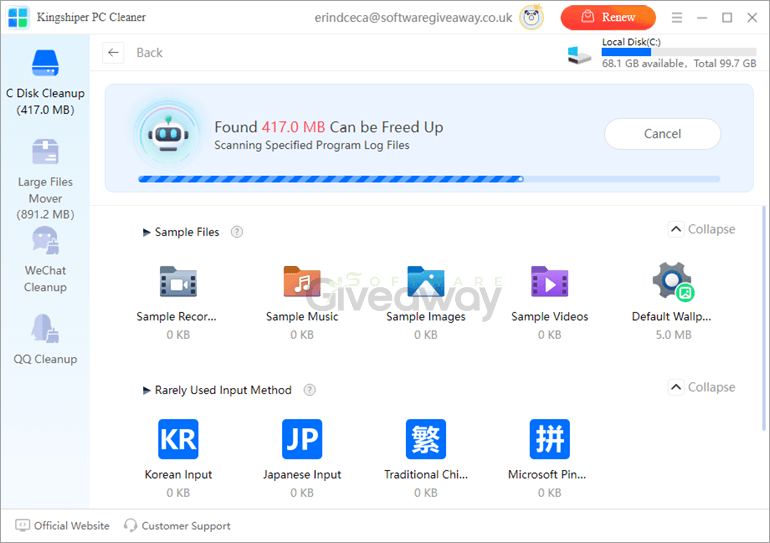
Kingshiper PC Cleaner stands out with options for smart scanning, program force uninstall, and an advanced driver booster, all designed to streamline PC maintenance without hassle. The application provides features such as quickly identifying high-resource processes, managing forgotten or rarely used software, and filtering large files for targeted cleaning. It’s important to note that results may vary based on individual computer conditions. The Kingshiper PC Cleaner’s freeware status and no-cost download make it accessible, though users should always evaluate such utilities against their specific maintenance needs and consider supplementing with manual checks for a thorough, tailored cleanup experience.
Features
- Deep Cleanup: Clean and improve your computer by removing all useless files.
- App Manager: Organize and manage all your applications with just one click.
- Free Up C Disk: Scan and clean unnecessary files to optimize your computer’s performance.
- PC Booster: Speed up your PC’s boot time by releasing memory space.
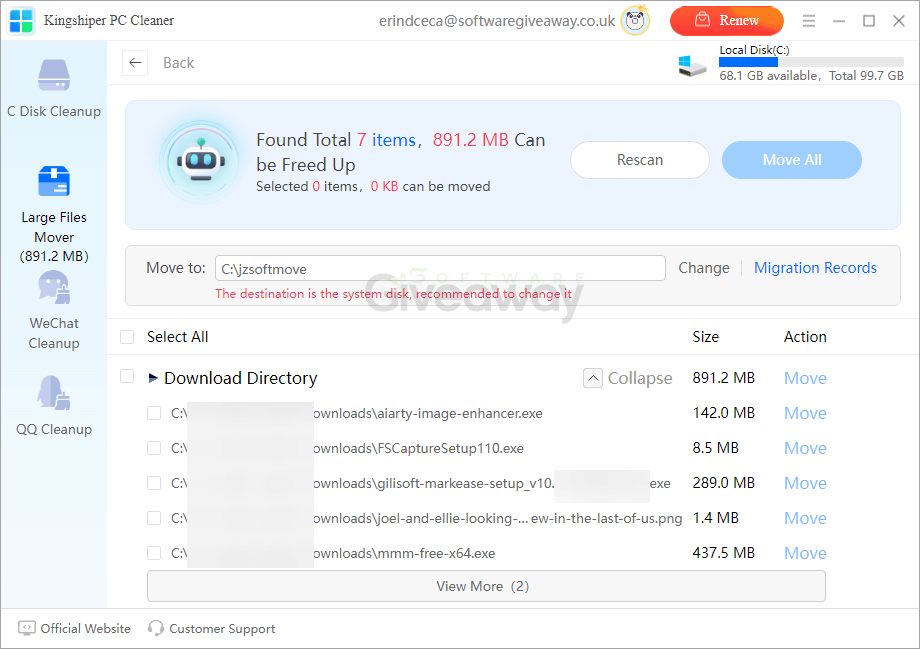
- Large Files Mover: Find and migrate large files from the C drive to another location safely.
- Junk Files Cleanup: Remove remnants of uninstalled software to make your PC faster.
- Smart Scan & Clean C Drive: Quickly scan your C drive, assess system health status, and identify unused applications.
- Advanced Driver Booster: Detect high-resource processes and clean up memory without closing running programs.
- Move Apps or Folder: Filter and manage large files or move them to another drive to free up space.
- Application Management: Manage all installed programs and remove leftover files from deleted or rarely used apps.
Special Offer


Giveaway Instructions
1. Submit your email here to receive a free license: Giveaway link
2. Download and install the software: 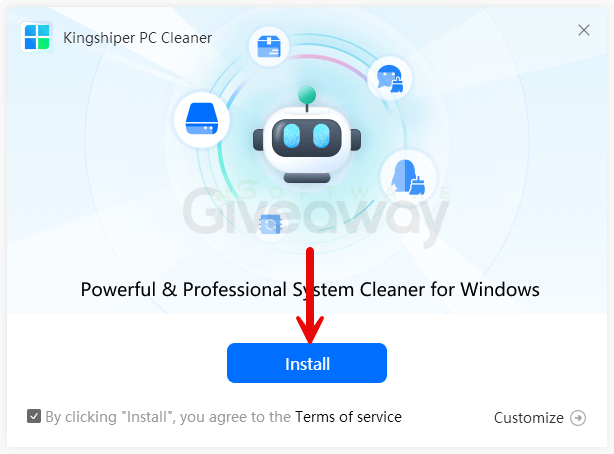
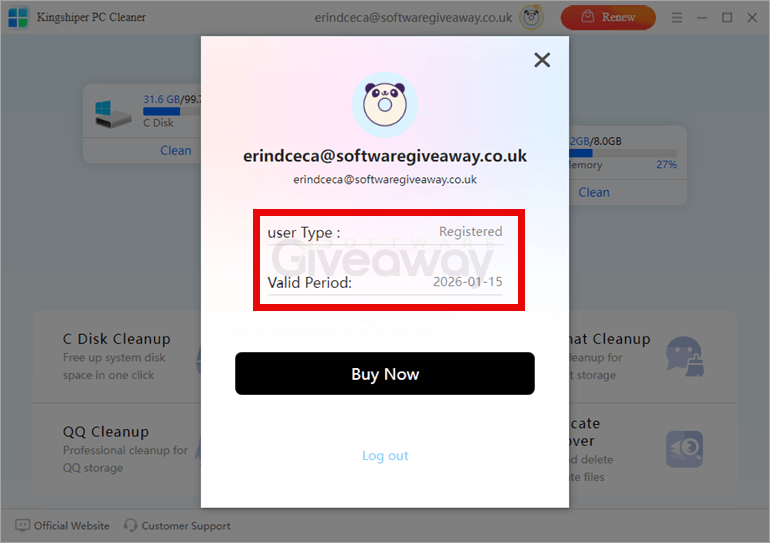
3. Launch the program, click Login, and create an account or log in to activate it.
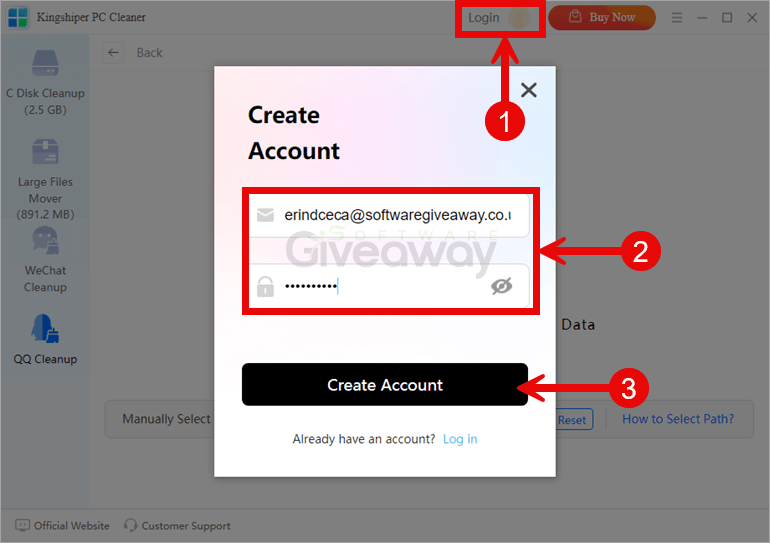
4. Enjoy the full version!
Terms and conditions
- This is a 1-computer 6-month license for noncommercial use
- Free minor updates for six months
- No free tech support
- End of giveaway promotion: Sep 24, 2025 GMT+0 08:00
Additional information
Specification: Kingshiper PC Cleaner
|
Reviews (1)
1 review for Kingshiper PC Cleaner
Add a review
You must be logged in to post a review.



Erind Ceca –
Kingshiper PC Cleaner is a solid option for casual users looking to maintain system health without too much complexity. It performs rapid scans and effectively clears out junk files, browser caches, and remnants from uninstalled programs. Its user-friendly interface and one-click optimization make it accessible even for non-tech-savvy users.