
SoftOrbits Duplicate Photo Finder (100% Discount)



Original price was: $69.99.$0.00Current price is: $0.00.
Description
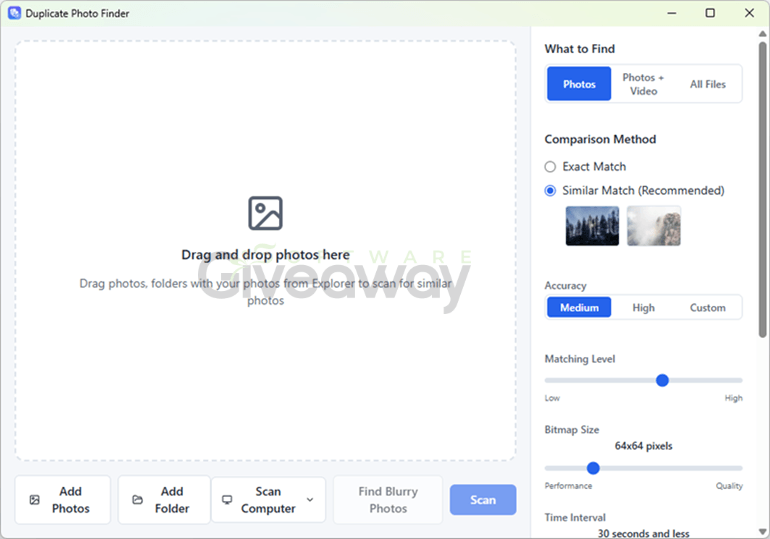
Declutter your photo library without losing the shots that matter most. SoftOrbits Duplicate Photo Finder is a Windows utility designed to identify exact duplicates and visually similar photos, helping users review clutter across folders, drives, and potentially connected cloud storage. It compares files using SHA-256 hashes for identical copies alongside image and metadata analysis for resized, rotated, reformatted, or near-duplicate images. The software can rank similar files by factors such as resolution, sharpness, size, and capture date, while its blur detection may help prioritize clearer photos. Users remain in control of deletion choices, and selected files are sent to the Windows Recycle Bin rather than permanently erased. It supports common image formats, HEIC, and numerous RAW formats, plus duplicate videos and other files in All Files mode.
Features
- Duplicate detection: Finds byte-identical copies using SHA-256 hashing and identifies visually similar images through image-pixel and metadata analysis.
- Similar-photo matching: Detects resized, rotated, reformatted, differently lit, and near-identical photos that basic filename or file-size comparisons may miss.
- Best-copy selection: Ranks files using resolution, sharpness, file size, and date taken to suggest the strongest version within each duplicate group.
- Blur detection: Uses a variance-of-Laplacian blur score to help identify out-of-focus photos and favor sharper images.
- Manual review controls: Lets users review and adjust suggested selections before removing files.
- Recycle Bin protection: Moves marked files to the Windows Recycle Bin instead of immediately deleting them permanently, allowing restoration if needed.
- At-least-one-copy safeguard: Keeps one item in each detected group to reduce the risk of deleting every version accidentally.
- Multiple scan targets: Scans individual folders, multiple folders, selected files, specific drives, or an entire computer.
- Saved scan locations: Stores selected folders for future scans.
- Cloud-drive support: Can scan connected cloud-drive content to help identify duplicate files and estimate reclaimed storage space.
- Broad image-format support: Reads JPG, PNG, BMP, GIF, TIFF, WebP, HEIC, and more than 30 camera RAW formats.
- Cross-format comparison: Can recognize duplicate images even when a RAW, WebP, or other source file has been converted to JPEG.
- Other-file duplicate scanning: Uses All Files mode to find duplicate videos, software installers, documents, and other non-system files.
- Selection rules: Offers options to keep the newest item, largest file, or highest-resolution version.
- Multiple viewing modes: Provides large-icon, big-icon, and detailed-table views for reviewing results.
- Full-size preview: Opens images at full size for closer comparison before deletion.
- EXIF and file details: Displays available EXIF metadata and file information during review.
- Offline operation: Processes files locally and states that photos are not uploaded for matching or quality scoring.
- Trial availability: Allows duplicate finding for free, while deletion is limited per session in trial mode; the registered version removes those limits.
- Windows compatibility: Supports 32-bit and 64-bit versions of Windows 7, 8, 8.1, 10, and 11.
Special Offer
You may also like:


Giveaway Instructions
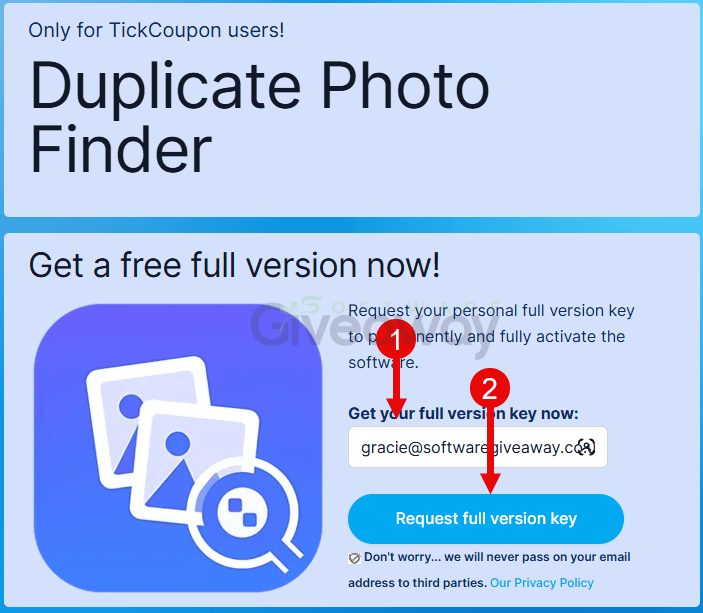
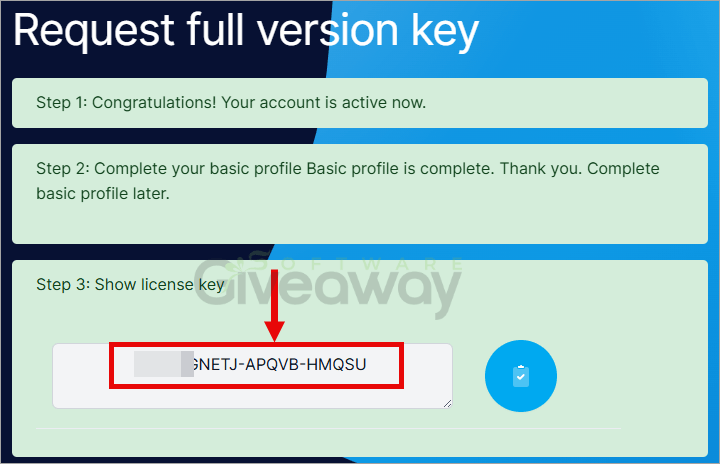
1. Submit your name and email here to receive a free license: Giveaway link
2. Download and install the software: DuplicatePhotoFinder.exe
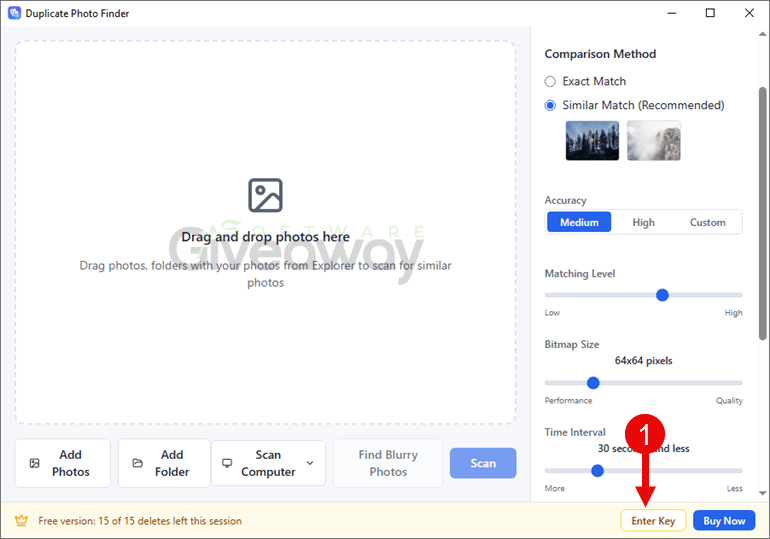
3. Launch the program, click on the key icon, and activate it using your email and the license key you received.
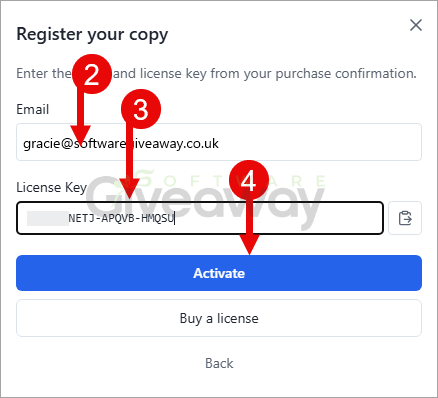
4. Enjoy the full version!
Terms and conditions
-
- This is a lifetime license for version 1.1.0
- You can’t upgrade the software for free.
- There’s no free tech support.
- End of giveaway promotion: Ending soon.
Additional information
Specification: SoftOrbits Duplicate Photo Finder (100% Discount)
|
Reviews (0)
User Reviews
Be the first to review “SoftOrbits Duplicate Photo Finder (100% Discount)”
You must be logged in to post a review.




There are no reviews yet.