

Original price was: $29.95.$0.00Current price is: $0.00.
Description
Tatasoft Disk Clone makes cloning your entire Windows system feel effortless and secure. Fully compatible with Windows 11, this reliable utility helps users copy a hard drive or transfer an operating system to an SSD without reinstalling Windows. Its three-step cloning wizard, selecting the source disk, editing the layout, and clicking “Clone”, makes the process approachable even for beginners. You can choose from sector-by-sector cloning for a true 1:1 copy or the Smart Copy option that clones only used sectors to save time and space. During testing, the tool proved stable and safe, maintaining data integrity even when cloning was unexpectedly interrupted. It’s a practical solution for upgrading drives, backing up data, or migrating to new PCs.
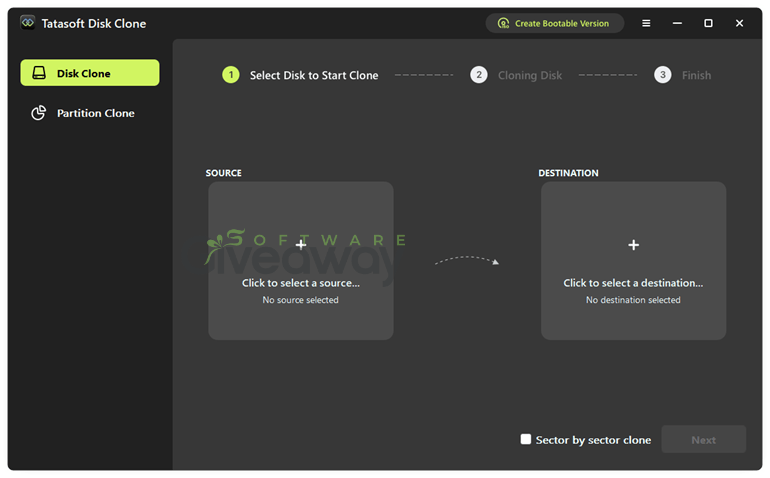
However, Tatasoft Disk Clone isn’t just about simplicity; it’s also impressively flexible. Users can clone entire disks or individual partitions, create a portable Windows environment, or build a WinPE bootable drive for recovery if their PC fails to start. It supports a wide range of devices, from classic HDDs and modern NVMe SSDs to USB drives and SD cards, making it a versatile choice for technicians and casual users alike.
Features
- Fully qualified for Windows 11: Works reliably with modern Windows systems.
- Clone system disk to SSD: Migrates OS without reinstalling Windows.
- Bootable clone: Ensures the cloned disk starts Windows normally.
- Sector-by-sector cloning: Creates an exact 1:1 copy of the original drive.
- Smart Copy: Clones only used sectors to save space and time.
- Autofit destination disk: Automatically adjusts partitions to match new drive size.
- Clone larger HDD to smaller SSD: Copies data if the SSD has enough capacity.
- Clone selected partitions: Backs up or transfers individual partitions easily.
- Flexible layout editing: Modify how partitions look after cloning.
- Safe cloning process: Protects source data even if cloning is interrupted.
- Portable Windows creation: Moves OS to an external drive to boot anywhere.
- WinPE bootable disk creation: Enables cloning or recovery when the OS won’t start.
- External and internal drive support: Works with HDDs, SSDs, USBs, SD cards, and more.
- Cross-device compatibility: Compatible with major brands like Dell, HP, Samsung, and WD.
- Easy three-step workflow: Select source, edit destination, and start cloning.
- Supports Windows versions: Works with Windows 11, 10, 8.1, 8, 7, Vista, and popular Server editions.
- Supports multiple file systems: FAT16, FAT32, exFAT, NTFS, and NTFS5.
- Lightweight system requirements: Needs only 100 MB disk space and 1GHz CPU.
- Technician edition available: Provides unlimited usage and one year of free upgrades.
- Upgrade HDD to SSD: Improves speed, stability, and power efficiency after cloning.
Special Offer





Giveaway Instructions
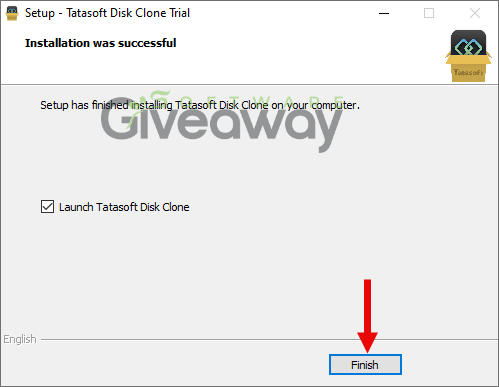
1. Download and install the software: TatasoftDiskClone.exe
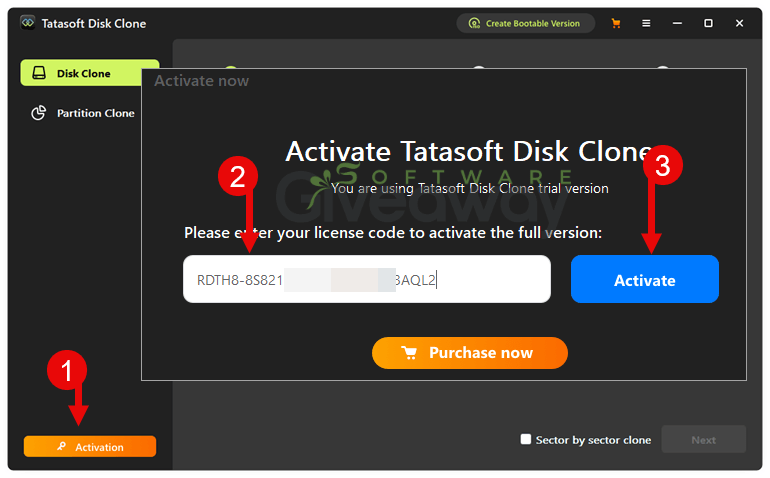
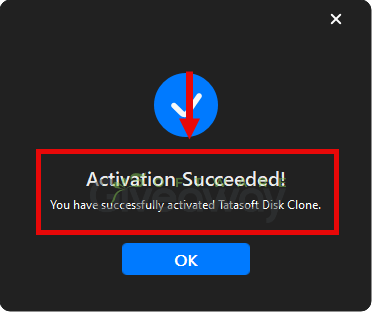
2. Launch the program, click on the key icon, and activate it using the license key: RDTH8-8S821-4W5FM-X79HB-3AQL2
3. Enjoy the full version!
Terms and conditions
- This is a lifetime license for version 3.0
- Strictly non-commercial use
- No free technical support
- No free upgrades to future versions
- Register before Mar 27, 2026 GMT+0 08:00
Additional information
Specification: Tatasoft Disk Clone (100% Discount)
|
Reviews (0)
User Reviews
Be the first to review “Tatasoft Disk Clone (100% Discount)”
You must be logged in to post a review.





There are no reviews yet.