
Vovsoft Keystroke Visualizer (100% Discount)


Original price was: $19.00.$0.00Current price is: $0.00.
Description
If you’re searching for a seamless way to display pressed keys during live demos or screen sharing, Vovsoft Keystroke Visualizer certainly makes a bold entrance into the landscape of presentation tools. This software overlays every keystroke and mouse click on your screen, an asset for presenters, teachers, and anyone running desktop tutorials. Audiences can effortlessly follow along as you showcase shortcuts, hotkeys, and workflows, while the clean pop-up display remains visible on top of all windows and hides itself when not in use to avoid distractions. Customization options abound: tweak display duration, font, and background color, and on-screen position to fit your visual style and needs.
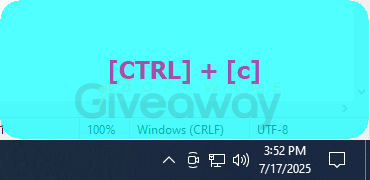
Usability is clearly a top priority here, as the Visualizer sits unobtrusively in the system tray and supports both installer (with auto-start) and portable modes. Unique settings let you control whether the software displays all keystrokes or only key combinations, making it versatile for testing periodic shortcuts or identifying keyboard issues. Vovsoft Keystroke Visualizer also supports multiple languages, integrates smoothly with popular screen-sharing apps like Zoom and Teams, and works across all modern Windows versions.
Features
- Displays pressed keys on screen: overlays keystrokes as small text pop-ups
- Shows mouse button clicks: left, right, and middle button indicators
- Always on top: keystroke display appears over all open windows
- Auto-hide: window hides when keyboard is idle
- Movable display: place the key display anywhere on your screen
- Customizable duration: set how long keystrokes appear on screen
- Font and background color customization: personalize visual appearance
- Adjustable width and height: fit the pop-up to your needs
- Minimum number of pressed buttons setting: choose to display single keys or combinations
- Shows special and regular keys: includes Ctrl, Shift, Enter, letters, numbers, and more
- Multiple monitor support: works across several screens
- Compatible with screen sharing apps: such as Zoom, Google Hangouts, Skype, TeamViewer
- Installer and portable editions: choose setup with autostart or a no-install, portable version
- System tray operation: main menu sits quietly in the tray
- English (US, UK) keyboard layouts supported
- Multi-language interface: supports over 20 languages
Special Offer


Giveaway Instructions
1. Submit your email here to receive a free license: Giveaway link
2. Download and install the software: keystroke-visualizer.exe keystroke-visualizer-portable.zip
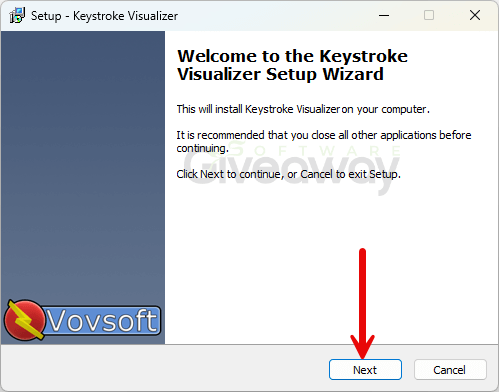
3. Launch the program, click Help>>>Edit License, and activate it using the license key.
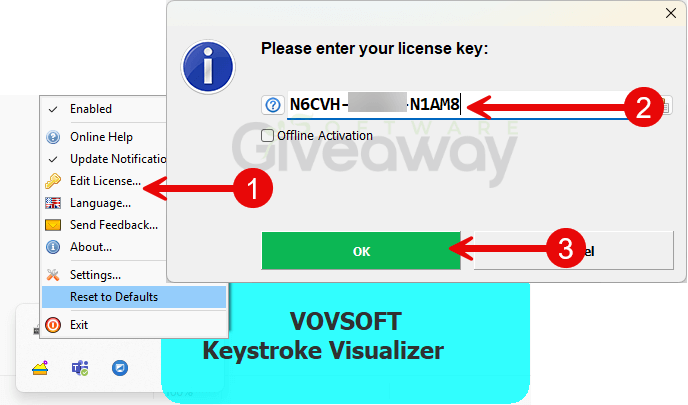
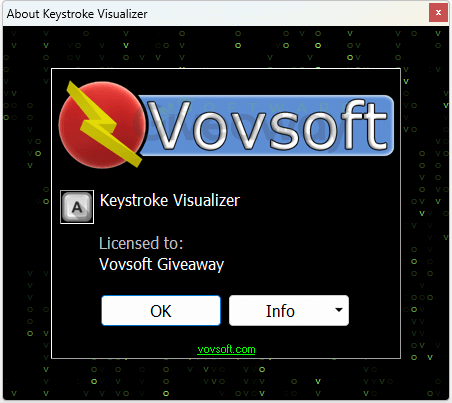
4. Enjoy the full version!
Terms and conditions
- This is a lifetime license for version 3.4
- You can’t upgrade the software for free.
- There’s no free tech support.
- End of giveaway promotion: July 31, 2026 GMT+0 08:00.
Additional information
Specification: Vovsoft Keystroke Visualizer (100% Discount)
|
Reviews (0)
User Reviews
Be the first to review “Vovsoft Keystroke Visualizer (100% Discount)”
You must be logged in to post a review.




There are no reviews yet.