Vovsoft Speech to Subtitle Converter (100% Discount)

Add to wishlistAdded to wishlistRemoved from wishlist 0
Add to compare
Giveaway
Add your review
Product is rated as #3 in category Speech to Text
7

Original price was: $19.00.Current price is: $0.00.

Giveaway LicenseFind out how to join this giveaway and claim your free key by checking the "Giveaway Instructions" tab
Special Offer Alert!If you missed this giveaway, remember to explore special coupon codes or deals under the "Special Offer" tab
Vovsoft Speech to Subtitle Converter (100% Discount)



Original price was: $19.00.Current price is: $0.00.

Description

Vovsoft Speech to Subtitle Converter turns spoken content into subtitles with surprisingly little effort. It uses offline Whisper AI and FFmpeg to transcribe audio and video on your own CPU or GPU, which means no cloud upload and better privacy. The software supports popular formats like MP3, WAV, MP4, MKV, and more, and it can export results as SRT, VTT, JSON, or TXT. With support for over 100 languages, Vovsoft Speech to Subtitle Converter can handle podcasts, interviews, lectures, and meetings while keeping timestamps in sync. Released on July 26, 2026, version 2.2 is a Windows-only, free-to-try tool for users who want fast, local subtitle creation without manual typing.
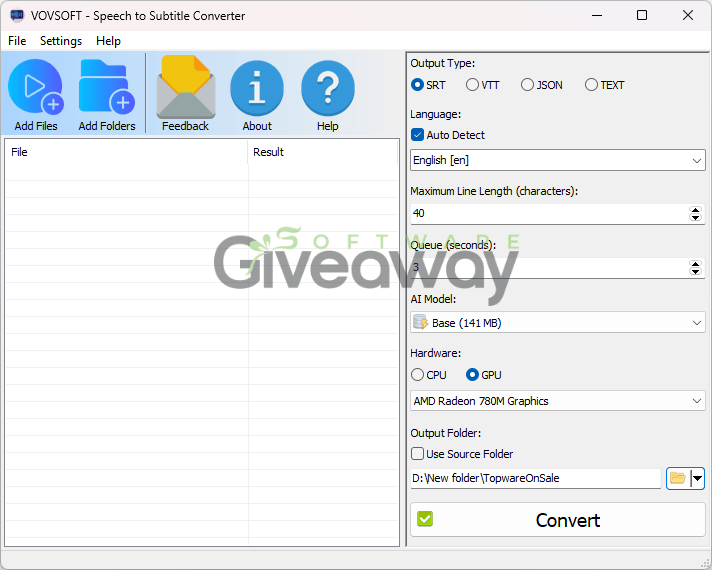
Vovsoft Speech to Subtitle Converter

Features

  • Offline Whisper AI and FFmpeg transcribe speech locally on your CPU or GPU: no cloud connection is required.
  • Audio files such as MP3, FLAC, WAV, WMA, M4A, and OGG can be converted to subtitles: useful for podcasts, interviews, and voice memos.
  • Video files such as MP4, WEBM, MKV, AVI, WMV, TS, and MOV can be turned into subtitles: the text stays synchronized with on-screen timestamps.
  • Export options include SRT, VTT, JSON, and TXT: this makes the output suitable for players, platforms, developers, and notes.
  • The tool supports over 100 languages: including English, Spanish, Vietnamese, Arabic, Japanese, and many more.
  • It runs on Windows 11 and Windows 10 in 32-bit and 64-bit versions: available as both an installer and a portable version.
7Expert Score
Vovsoft Speech to Subtitle Converter feels like a practical, no-frills captioning tool for users who want fast local transcription without sending media to the cloud. Its biggest strengths are offline Whisper-based processing, broad format support, and clean export options like SRT, VTT, JSON, and TXT, which make it useful for creators, editors, and developers alike. It also covers a wide range of languages and handles both audio and video, so it fits many everyday workflows. The tradeoff is that it appears best suited to Windows users with decent hardware, and like most speech tools, results will depend on recording quality and the AI model used. Overall, it looks reliable and efficient, especially for privacy-conscious users who need synchronized subtitles quickly.
PROS
  • Offline transcription keeps files private.
  • Supports audio and video input.
  • Exports SRT, VTT, JSON, and TXT.
  • Works with many formats and languages.
  • Uses Whisper AI and FFmpeg.
  • Creates timestamped subtitles automatically.
  • Saves time on manual typing.
CONS
  • Windows-only support.
  • Speed depends on hardware.
  • Transcription quality can vary by audio quality.
  • May be slow with heavier AI models.

Special Offer

Special offer that you can't miss!

30% Off Vovsoft Speech to Subtitle Converter Coupon Code
Regular price $19, discounted price $13.3: save $5.7
-30% 100%
Show Code
98% Off Vovsoft Universal License
Regular price $2,014, discounted price $63.0: save $1,951.0
-98% 100%
Show Code

Giveaway Instructions

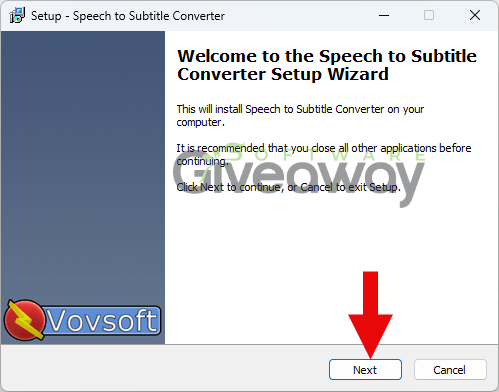
1. Download and install the software:
Installer: speech-to-subtitle-converter.exe
Portable: speech-to-subtitle-converter-portable.zip
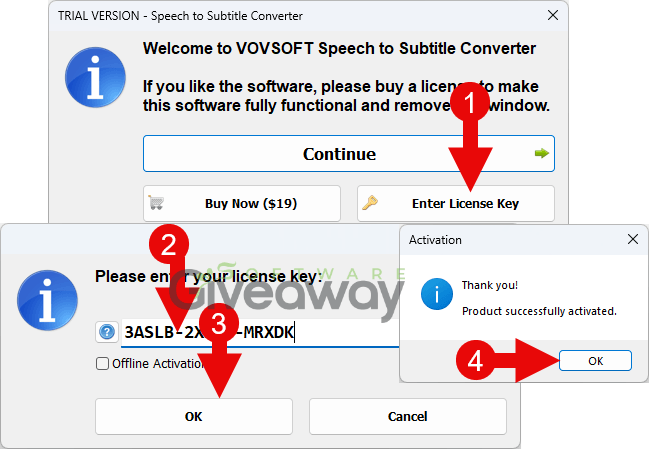
2. Launch the program, click Help>>>Edit license, and activate it using this license key: 3ASLB-2X1B6-MRXDK
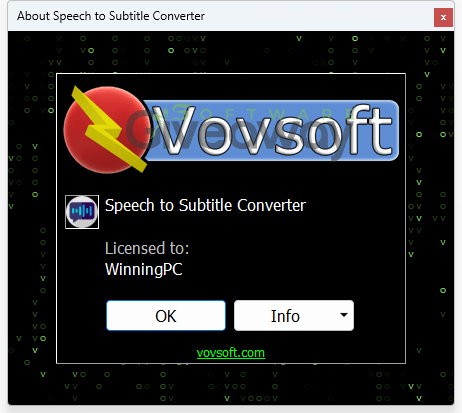
3. Enjoy the full version!
Terms and conditions

  • Lifetime license for version 2.2.
  • You can’t upgrade the software for free. If you do, you might lose the registration.
  • There’s no free tech support.
  • End of giveaway promotion: August 06, 2026, GMT+0 08:00

Additional information

Specification: Vovsoft Speech to Subtitle Converter (100% Discount)

Operation System

Windows

Money-back Guarantee

30-Day

Computer

1 PC

Subscriptions

Lifetime License

Support Service

Contact Email

Reviews (0)

User Reviews

0.0 out of 5
0
0
0
0
0
Write a review

There are no reviews yet.

Be the first to review “Vovsoft Speech to Subtitle Converter (100% Discount)”

Software Giveaway
Logo
Compare items
  • Total (0)
Compare
0
Shopping cart