

Original price was: $39.00.$0.00Current price is: $0.00.
Description
Meetings shouldn’t disappear the moment they end, and ZD Meeting Recorder aims to fix that. It is a dedicated screen recording tool built specifically for online meetings, lectures, classes, and training sessions, with a strong focus on replay and review. Instead of acting like a general recorder, it combines session capture with local AI transcription, allowing users to search transcripts and jump directly to exact video moments. This makes it particularly useful for students, educators, and teams who need to revisit long discussions without scrubbing through hours of footage. The local processing approach also emphasizes privacy, keeping sensitive conversations on-device rather than relying on cloud-based transcription services, which may appeal to organizations handling confidential material. Overall, it targets practical, everyday workflows.
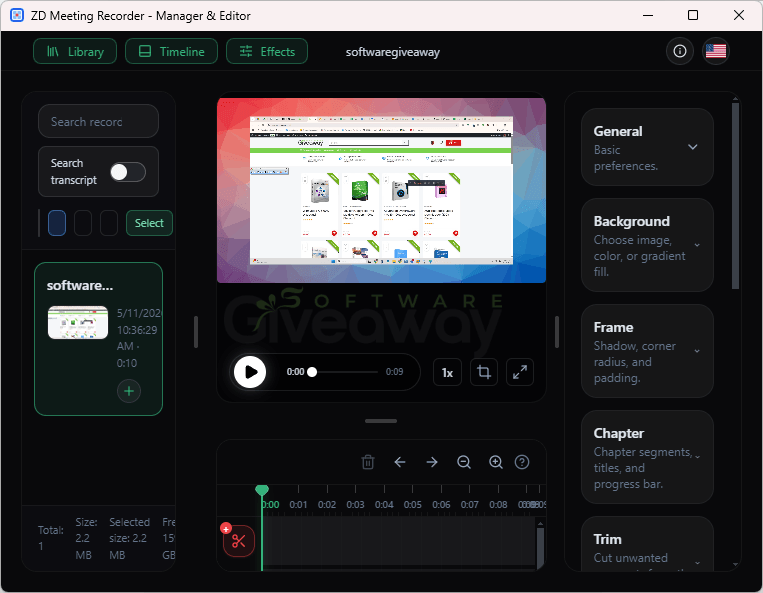
Where ZD Meeting Recorder stands out is in how it turns recordings into usable knowledge rather than static files. Its transcript search and text-to-video navigation significantly reduce review time, especially for recurring meetings, training sessions, or customer calls that need quick reference. Built-in editing tools such as trimming, merging, zooming, chapters, subtitles, and annotations make it easier to repurpose recordings into concise learning or documentation assets. It also supports flexible capture options and scheduled recordings, helping users automate routine sessions and maintain consistent archives across devices and teams. However, its specialization means it may feel less versatile than general screen recorders for broader tasks, making it best suited for users focused on structured review, training workflows, and searchable meeting archives.
Features
- Dedicated meeting recording: Designed specifically for online meetings, lectures, classes, and training sessions.
- Full session capture: Records complete sessions for replay, revision, and follow-up.
- Flexible source selection: Capture full screen, app window, webcam, microphone, and system audio in various combinations.
- Local AI transcription: Generates transcripts on-device to keep data private and secure.
- Transcript search: Find keywords quickly within recorded sessions.
- Text-to-video navigation: Jump directly from transcript text to the exact moment in the video timeline.
- Scheduled recording: Automate recordings for recurring meetings, classes, or training sessions.
- Editing tools: Trim, merge, and zoom recordings for cleaner playback.
- Chapter creation: Organize long recordings into structured sections.
- Subtitles support: Add captions for clarity and accessibility.
- Annotations: Highlight important points within recordings.
- Camera overlays: Include webcam footage for presentations or training.
- Consistent output settings: Standardize recording quality and formats across teams.
- Archive management: Build searchable, reusable knowledge libraries from recorded sessions.
- Reusable content creation: Turn recordings into onboarding materials, documentation, or training assets.
Special Offer



Giveaway Instructions
1. Download and install the software: MRSetup.exe
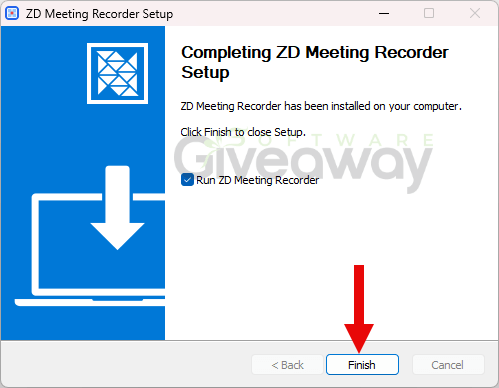
2. Launch the program, click on the key icon, click Enter License Key, and activate it using this key:
License code: B1GFC-30063-076WY-7S12C-4YEA0
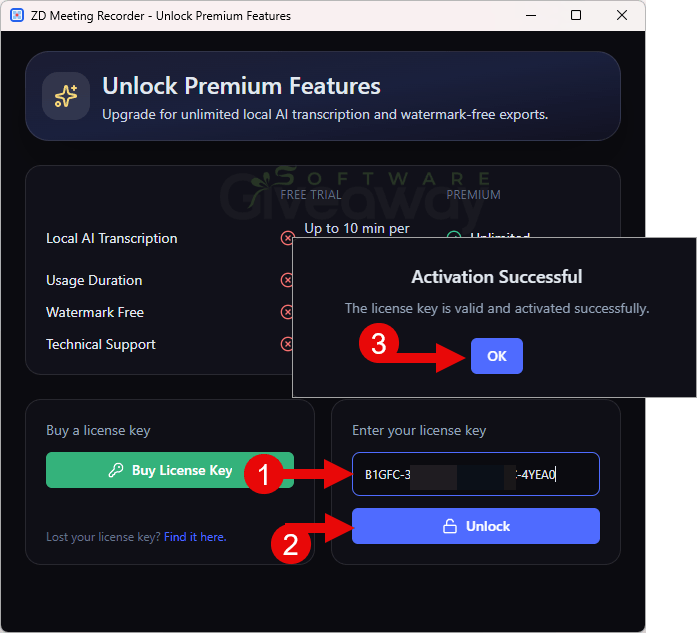
3. Enjoy the full version!
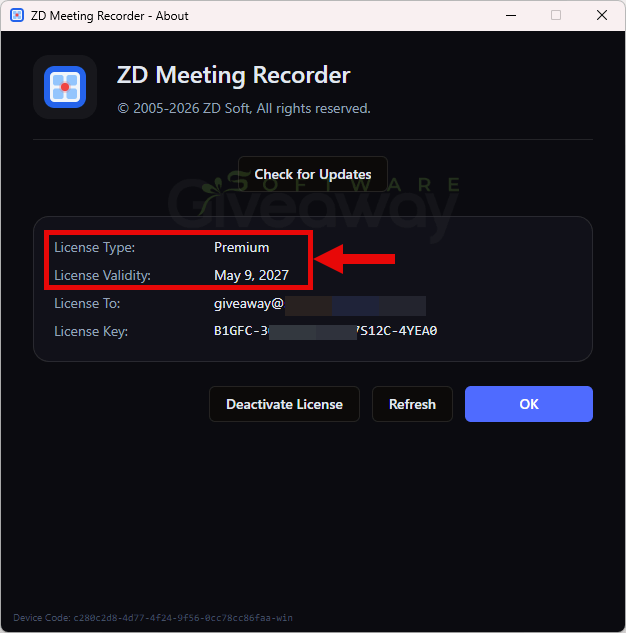
Terms and conditions
- This is a lifetime license for version 1.0.1.
- You can’t upgrade the software for free. If you do, it may become unregistered.
- There’s no free tech support.
- May not be resold.
- End of giveaway promotion: May 16, 2026, GMT+0 08:00
Additional information
Specification: ZD Meeting Recorder (100% Discount)
|
Reviews (0)
User Reviews
Be the first to review “ZD Meeting Recorder (100% Discount)”
You must be logged in to post a review.



There are no reviews yet.