


Original price was: $39.00.$0.00Current price is: $0.00.
Description
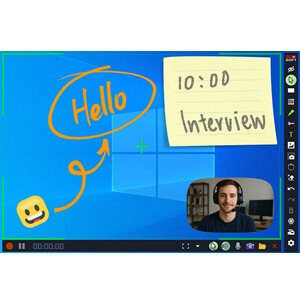
ZD Screen Marker Pro is a versatile all-in-one tool designed for screen annotation, recording, and quick editing, making it ideal for educators, presenters, and content creators. The software offers seven distinct pen styles, including pen, highlighter, chalk, pencil, ink pen, calligraphy pen, and ink brush, allowing users to customize their markings for various purposes. It also provides a rich selection of ten shapes to highlight, point, or connect ideas, plus three types of erasers for precise editing. Users benefit from customizable text with a broad range of fonts, vibrant colors, and outline effects to enhance visibility. Additionally, the software includes an extensive library of over 1,000 icons and the capability to import and organize personalized images for richer annotations.
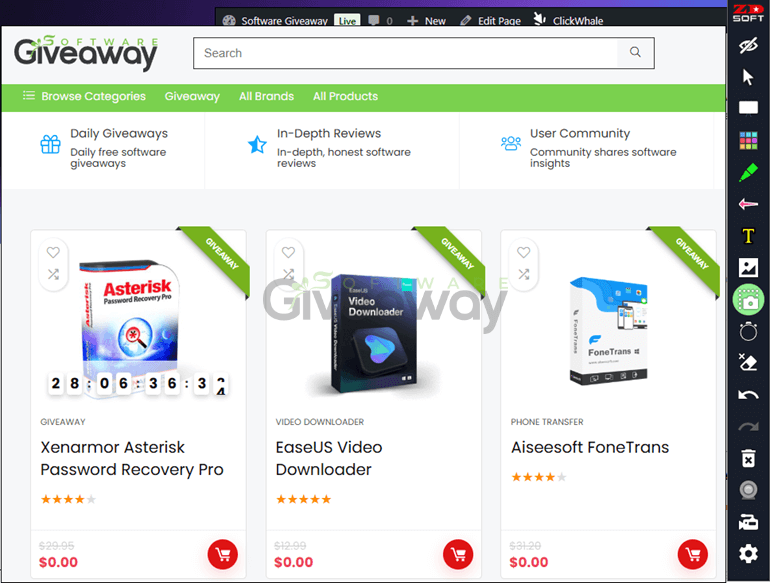
Beyond annotation, ZD Screen Marker Pro offers persistent, editable canvases with auto-save features and full element editing capabilities, including moving, grouping, and layering objects. Its flexible output options support scaling, cropping, and saving annotations seamlessly. The tool supports unlimited customizable whiteboards with an infinite canvas and over 50 background patterns to suit diverse project needs. Screen color pickers and customizable color palettes enhance workflow efficiency, while various pointer effects guide audience attention effectively.
Features
- Pen styles: 7 different types including pen, highlighter, chalk, pencil, ink pen, calligraphy pen, and ink brush
- Shapes: 10 options including arrow, number, line, rectangle, ellipse, polygon, polyline, curve, bezier curve, and freehand shape
- Erasers: 3 types available—object eraser, pixel eraser, and area eraser
- Customizable text: various fonts, vibrant colors, outline effects, and alignment options
- Icon library: over 1,000 built-in icons with easy filtering and placement
- Image library: import, manage, and organize custom images and canvas selections
- Persistent annotations: auto-save, full element editing, and reliable undo/redo
- Output options: scale, rotate, save, copy annotations or images
- Unlimited whiteboards: create and manage an endless number of canvases
- Backgrounds: 50+ built-in patterns and support for custom images
- Infinite canvas: zoom and pan for detailed or broad projects
- Color palette: extensive custom colors, quick access, and pixel-accurate input
- Screen color picker: sample colors directly from screen
- Pointer effects: customizable circular highlight and preset styles
- Auto fade-out effect: timer-based annotation disappearance with pause option
- Toolbar customization: selective visibility and keyboard shortcut assignments
- Webcam overlay: live feed with adjustable shape, size, and annotation
- Snapshot and screenshot tools: capture clean or annotated images with magnifier support
- Screen recording: multi-source capture including system audio, microphone, and webcam
- Recording control: start, pause, resume, stop with customizable shortcuts
- Video editing: trim and merge recordings without re-encoding.
Special Offer




Giveaway Instructions
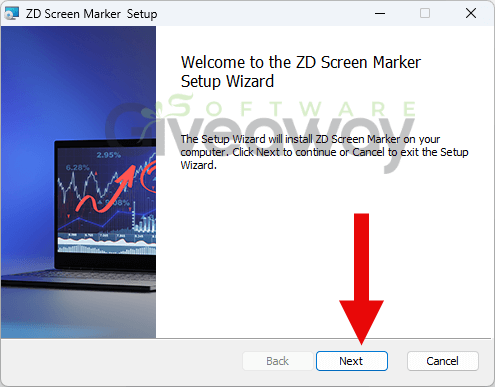
1. Download and install the software: ScnMkr.msi
2. Launch the program, click on the key icon, click Enter License Key, and activate it using this key: License code: F3294-1FLBD-BJBB2-V6762-BB0ED
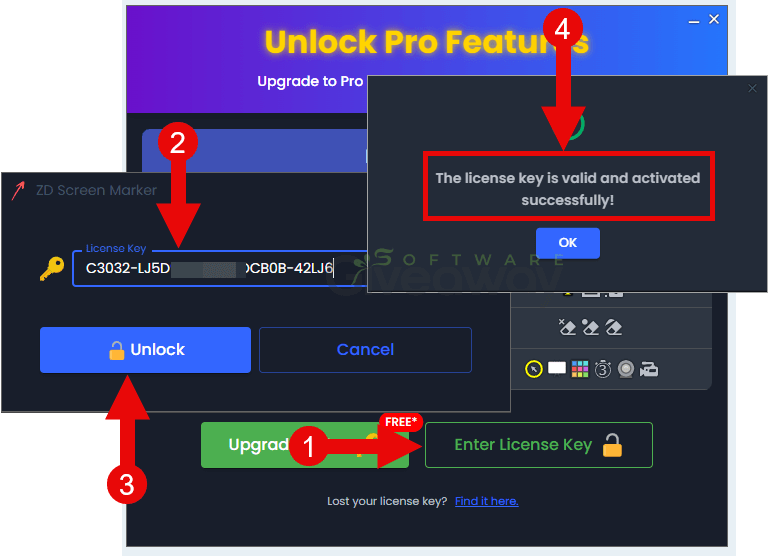
3. Enjoy the full version!
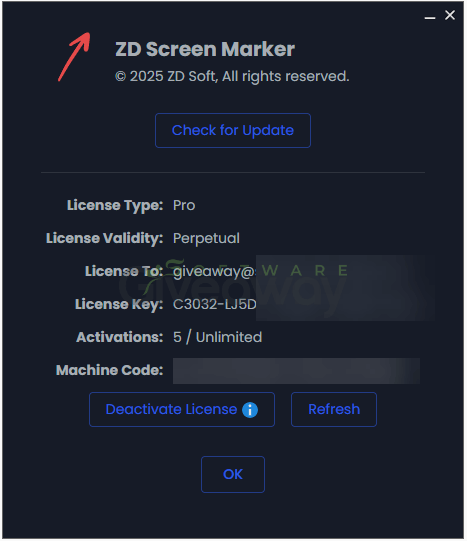
Terms and conditions
- This is a lifetime license for version 1.0.4
- You can’t upgrade the software for free.
- There’s no free tech support.
- End of giveaway promotion: Ending soon.
Additional information
Specification: ZD Screen Marker Pro (100% Discount)
|
Reviews (0)
User Reviews
Be the first to review “ZD Screen Marker Pro (100% Discount)”
You must be logged in to post a review.


There are no reviews yet.