


Original price was: $29.99.$0.00Current price is: $0.00.
Description
“Declutter with confidence” is the promise behind eorex DupHunter, a local file-cleanup tool designed to identify exact duplicate files and folder structures, visually similar images, and photo bursts without uploading data to the cloud. Users can scan one or more folders, then review grouped findings before moving anything to the Trash. Its exact-match mode compares file contents rather than filenames, while image matching supports similarity thresholds from 80% to 97% for resized, cropped, recompressed, or edited photos. Photo-series grouping can help choose the best frame from a burst based on capture-time intervals. DupHunter also offers reusable selection rules, exclusions, cached data for repeat scans, removal history, and safeguards that verify duplicate folders again before deletion.
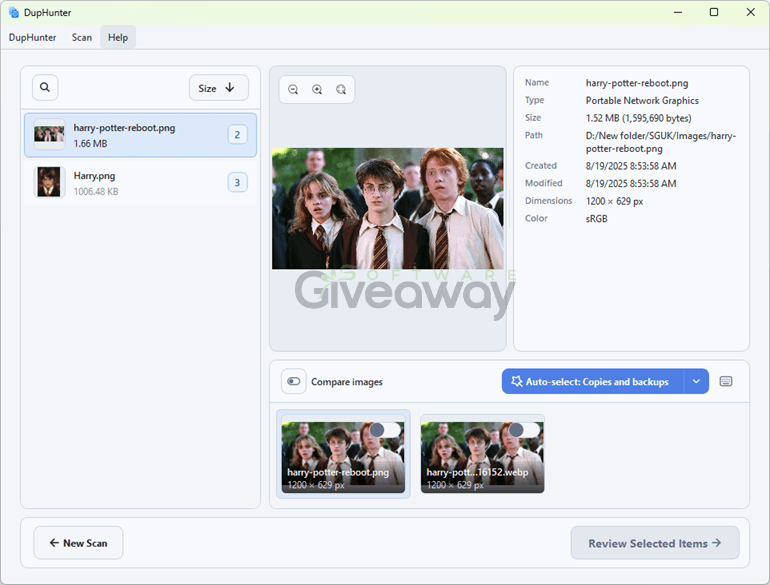
Teorex DupHunter
Features
- Exact duplicate search: Finds duplicate files by comparing their contents rather than relying only on filenames.
- Duplicate folder detection: Identifies matching folder trees with the same relative structure and matching file contents.
- Image-only scanning: Lets users limit an exact-duplicate scan to image files when needed.
- Similar-image matching: Detects visually related photos, including versions that were resized, cropped, recompressed, or edited.
- Adjustable similarity threshold: Offers visual-match levels from 80% similarity to 97% near-duplicates.
- Side-by-side image review: Displays previews, image dimensions, dates, and photo metadata for comparison.
- Photo-series grouping: Groups images captured close together, making it easier to review bursts and sequences.
- Configurable capture interval: Lets users define a maximum gap from 1 second to 10 minutes between photos in a series.
- Filmstrip and zoom view: Supports browsing a sequence visually and inspecting a selected image more closely.
- Reusable cleanup rules: Creates automated selection rules based on filename, extension, file size, image resolution, modification date, or creation date.
- Manual review controls: Allows users to override automated choices and confirm the final selection before removal.
- Keep-one-item safeguard: Retains at least one item in each duplicate group by default.
- Local-only processing: Keeps files and photo data on the computer during scanning and review.
- Flexible exclusions: Excludes specific folders, files, names, extensions, or hidden items from scans.
- Cached repeat scans: Reuses stored hashes and photo metadata to reduce work when scanning the same locations again.
- Results grouped by recoverable size: Highlights duplicate groups with the largest potential storage savings first.
- Removal history: Records past cleanups and can restore available items from the Trash to their original locations.
- Folder-removal verification: Rechecks a duplicate folder’s structure and contents before deletion, stopping removal if relevant files changed after the scan.
Giveaway Instructions
1. Download and install the software: DupHunterSetup.exe
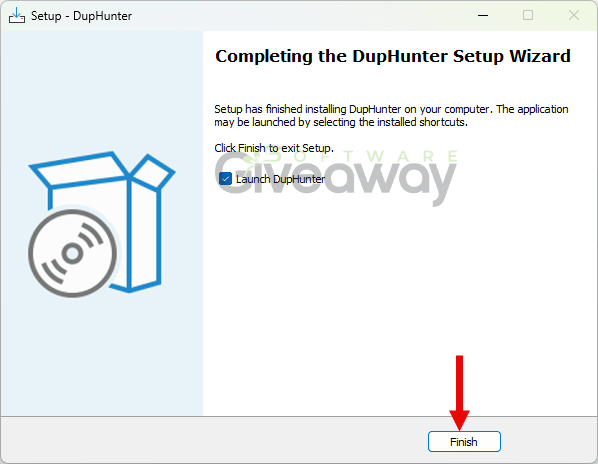
2. Launch the program, click Help > > > Enter the serial key, and activate it using this license key: GIVEAWA-YOFTHED-AYDUPHA-NTER40C
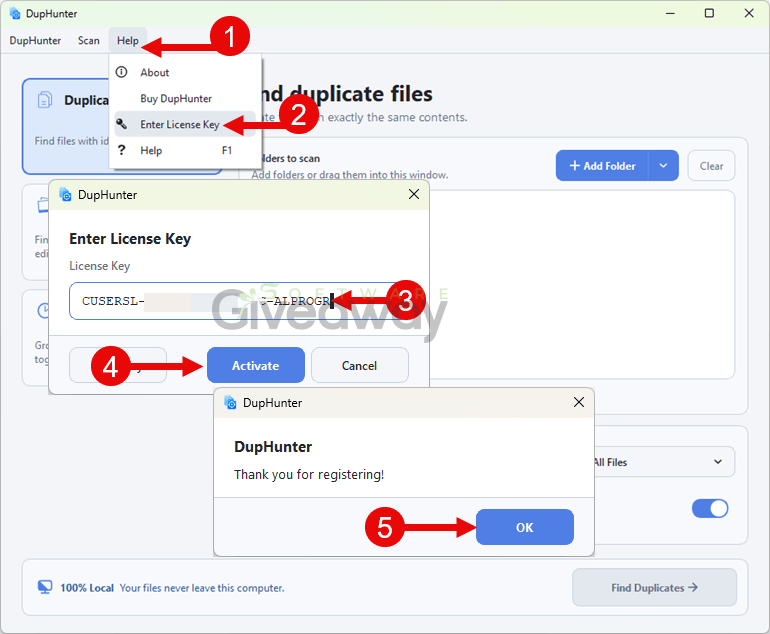
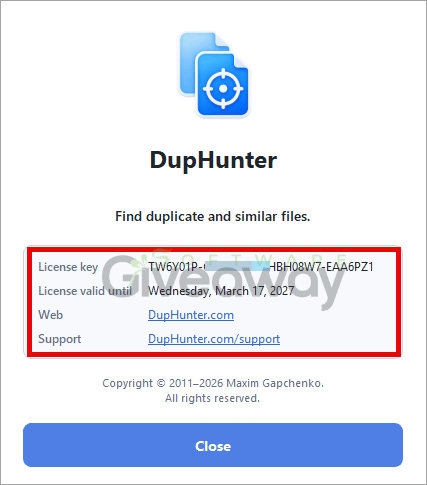
3. Enjoy the full version!
Terms and conditions
- This is a 6-month license for version 4.0.2
- You can’t upgrade the software for free.
- There’s no free tech support.
- This is for strictly non-commercial usage.
- End of giveaway promotion: Sep 18, 2026 GMT+0 08:00.
Additional information
Specification: Teorex DupHunter (100% Discount)
|
Reviews (0)
User Reviews
Be the first to review “Teorex DupHunter (100% Discount)”
You must be logged in to post a review.




There are no reviews yet.