
SoftOrbits AI Photo Culling (100% Discount)


Original price was: $49.99.$0.00Current price is: $0.00.
Description
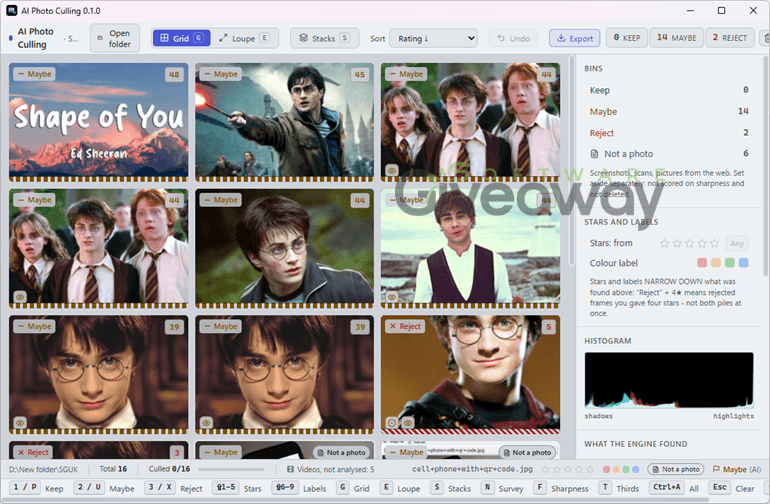
SoftOrbits AI Photo Culling aims to turn an overwhelming photo folder into a manageable shortlist. Designed for Windows, it analyzes large batches of RAW, HEIC, JPEG, PNG, and other supported formats locally, assigning each image a 0–100 overall rating based on technical quality, beauty, and composition. It can flag issues such as missed subject focus, blur, closed eyes, poor exposure, backlit faces, and framing concerns, while grouping similar burst shots into stacks. Familiar keyboard shortcuts, XMP sidecar support, and Keep/Reject/Maybe categories may suit Lightroom-oriented workflows. Importantly, the software does not automatically delete originals; users retain the final decision. However, its aesthetic scoring should be treated as a starting point, since AI cannot reliably judge the personal or emotional importance of a moment.
Features
- Local AI analysis: Processes photos directly on your Windows PC without uploads, accounts, or cloud storage.
- Large-folder scanning: Reviews folders containing roughly 1,000 to 10,000 images.
- Broad format support: Handles 25+ RAW formats, including Canon CR2/CR3, Nikon NEF, Sony ARW, Fujifilm RAF, DNG, HEIC/HEIF, JPEG, PNG, and WebP.
- Overall scoring: Assigns every image a 0–100 rating combining technical quality, beauty, and composition.
- Subject sharpness detection: Checks whether the main subject is in focus instead of judging background blur as an error.
- Blur and focus flags: Identifies motion blur, soft focus, and camera shake.
- Exposure analysis: Flags overly dark, overexposed, underlit, or blown-skin images.
- Closed-eye detection: Highlights faces where eyes may be shut without automatically rejecting the image.
- Framing feedback: Notes potential composition issues, such as cropped heads, knees, or ankles.
- Burst stacking: Groups near-duplicate photos using shooting time and visual similarity.
- HDR protection: Keeps HDR brackets out of bulk-reject actions.
- Screenshot filtering: Places screenshots, scans, and non-camera images in a separate Maybe category.
- Keep, Reject, and Maybe sorting: Organizes images according to detected quality issues and user decisions.
- Reason icons: Shows why an image was flagged, such as underlit subject, blur, or possible closed eyes.
- Detailed score views: Lets users see separate technical, beauty, and composition scores in thumbnail or Loupe view.
- Survey comparison: Displays multiple photos side by side with synchronized zoom for easier selection.
- Keyboard shortcuts: Supports Lightroom-style keys including P, X, 1–5, S, and Ctrl+Z.
- Non-destructive workflow: Marks rejected images virtually rather than deleting originals automatically.
- Export options: Exports selected photos to a _Selected folder and can move rejected images to _Rejected after confirmation.
- XMP sidecars: Saves ratings and flags alongside original images for compatibility with professional photo editors.
- Real-time results: Displays scores while folder scanning is still in progress.
Giveaway Instructions
1. Submit your email, name, and country here to receive a free license: Giveaway link-1,

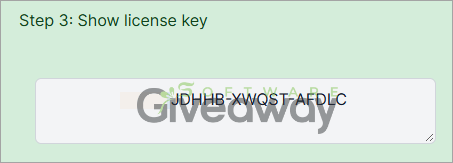
2. Download and install the software: SoftOrbits_AI_Photo_Culling_v1.0.exe
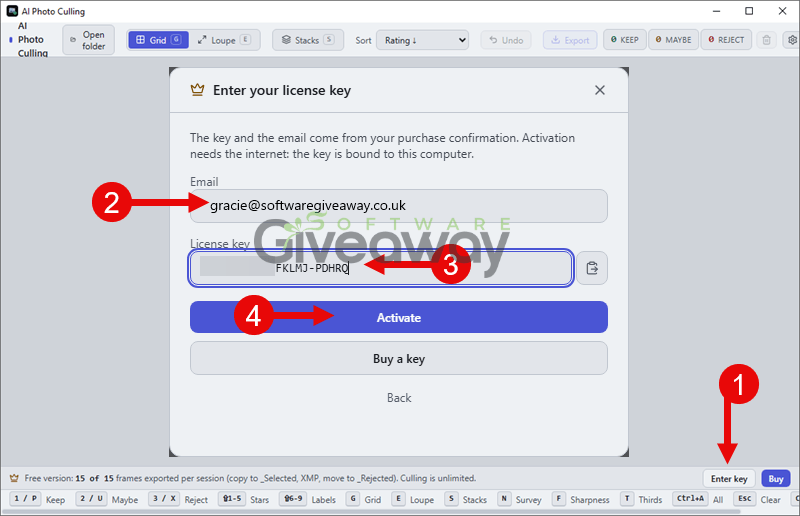
Launch the program, click on the Enter key, and activate it using your email and this SoftOrbits AI Photo Culling license key: CUL1-QNKQV-GCXQK-RDNEVQ or CUL1-ZHBZG-FKLMJ-PDHRQ
3. Enjoy the full version of SoftOrbits AI Photo Culling for free!
Terms and conditions
- This is a lifetime license for version 0.1.0
- You can’t upgrade the software for free.
- There’s no free tech support.
- End of giveaway promotion: End soon.
Additional information
Specification: SoftOrbits AI Photo Culling (100% Discount)
|
Reviews (0)
User Reviews
Be the first to review “SoftOrbits AI Photo Culling (100% Discount)”
You must be logged in to post a review.






There are no reviews yet.