
SoftOrbits Turbo PC Optimizer (100% Discount)


Original price was: $39.99.$0.00Current price is: $0.00.
Description
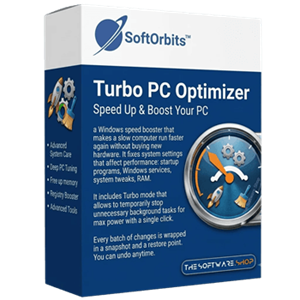
SoftOrbits Turbo PC Optimizer is a Windows tuning utility designed to give sluggish computers a quick, reversible performance refresh – without asking users to become system experts. Its standout promise is one-click Turbo and Gaming modes, which temporarily suspend unneeded background processes, clear available memory, and reduce startup or service overhead before demanding work or games. Beyond quick boosts, it includes service and startup managers, RAM optimization, registry and privacy tweaks, plus a fast disk-space analyzer based on the NTFS file table. A key advantage is its snapshot-based rollback system, letting users undo adjustments if results are not satisfactory. Still, real performance gains will vary by hardware and existing configuration, and users should review optional tweaks carefully.
Features
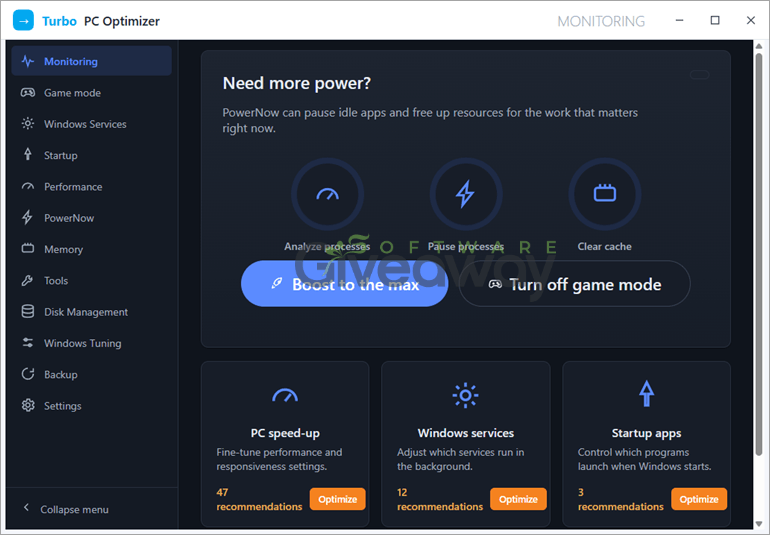
- One-click Turbo mode: Temporarily suspends unused background processes, unloads them from memory, and clears RAM and cache before a demanding task.
- One-click restore: Restarts background services after Turbo mode is no longer needed.
- Gaming Mode: Prepares Windows for gaming by applying performance-focused settings and reducing some background overhead.
- Hardware-Accelerated GPU Scheduling: Can enable this Windows graphics setting for supported systems to prioritize gaming performance.
- Game GPU priority: Aims to give the active game greater access to GPU resources.
- Fullscreen Optimizations control: Can switch off Windows Fullscreen Optimizations for games when appropriate.
- Game Bar overhead reduction: Can disable or reduce Windows Game Bar-related background activity.
- Services manager: Lists Windows background services, provides recommendations, and lets users stop or disable selected unnecessary services.
- Startup manager: Identifies programs that launch with Windows, including startup entries associated with Task Scheduler, and lets users disable selected items.
- Slowdown scanning: Reviews services and startup items to help identify processes that may be consuming system resources.
- RAM optimizer: Frees memory by unloading idle processes, which may be especially useful on PCs with limited RAM.
- Cache clearing: Clears available RAM and cache during optimization sessions.
- Registry speed tweaks: Provides configurable Windows, File Explorer, system app, and general performance-related registry adjustments.
- UAC prompt control: Offers an option to reduce or disable User Account Control prompts.
- Windows ads control: Includes an option to block selected built-in Windows advertising features.
- Privacy and tracking tweaks: Provides optional controls for Windows telemetry, including DiagTrack and Windows Recall timeline settings.
- Disk space analyzer: Uses the NTFS Master File Table to calculate folder sizes quickly rather than scanning every folder conventionally.
- Largest-folder visualization: Displays sortable disk-usage information and a donut chart for identifying storage-heavy folders.
- System snapshots: Creates a saved state before changes so adjustments can be undone later.
- Reversible optimizations: Allows users to restore settings after applying service, startup, registry, or performance changes.
- Risky-tweak warnings: Flags potentially riskier adjustments and requires users to enable them manually.
- Detailed tweak explanations: Provides descriptions intended to help users understand what individual settings change.
- No default startup loading: Is designed not to launch automatically with Windows by default, allowing users to run it only when needed.
Special Offer
🏆🏆🏆 Special offer that you can't miss!



Giveaway Instructions
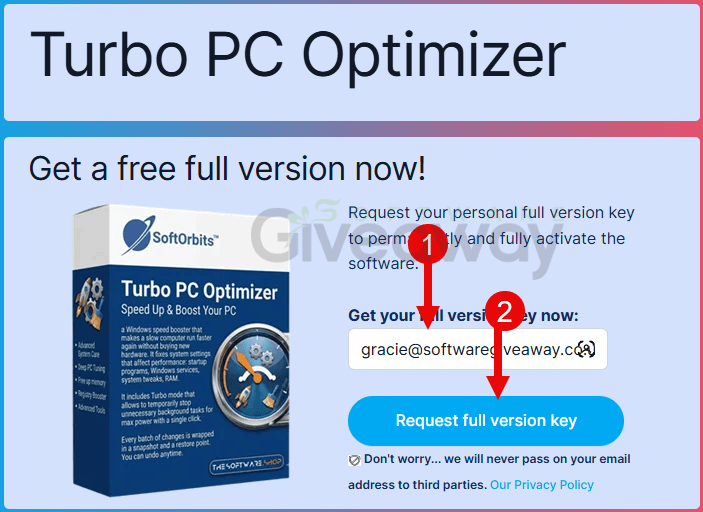
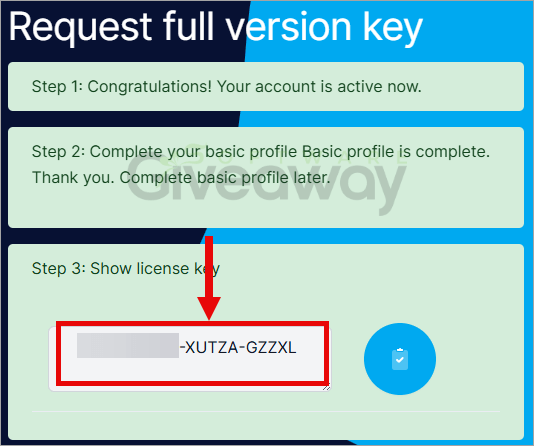
1. Submit your name and email here to receive a free license: Giveaway link
2. Download and install the software: PCOptimizerSetup.exe
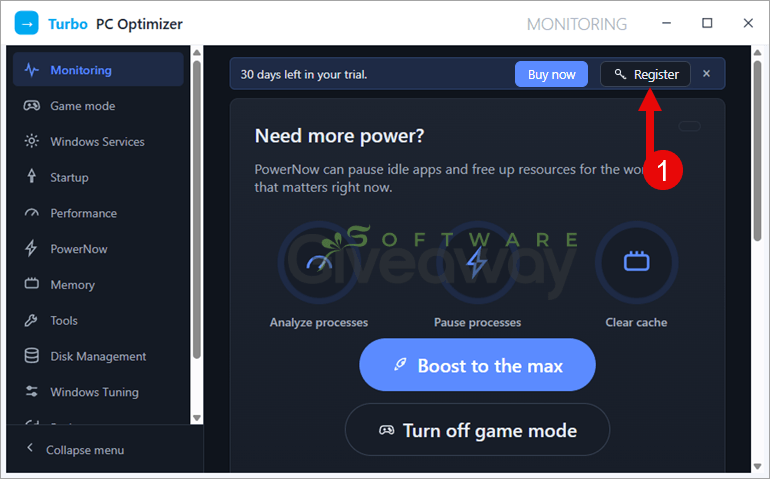
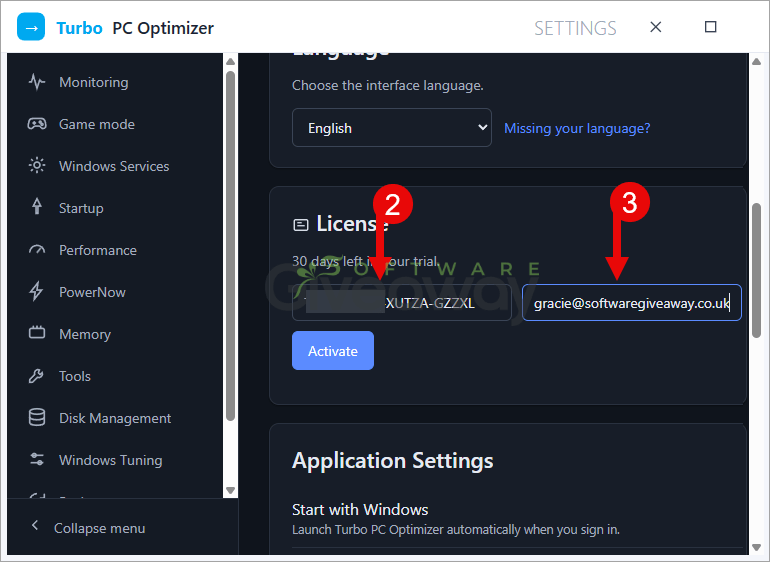
3. Launch the program, click on the key icon, and activate it using your email and the license key you received.
4. Enjoy the full version!
Terms and conditions
- This is a lifetime license for version 1.2.0
- You can’t upgrade the software for free.
- There’s no free tech support.
- End of giveaway promotion: Ending soon.
Additional information
Specification: SoftOrbits Turbo PC Optimizer (100% Discount)
|
Reviews (0)
User Reviews
Be the first to review “SoftOrbits Turbo PC Optimizer (100% Discount)”
You must be logged in to post a review.


There are no reviews yet.